


Introduction
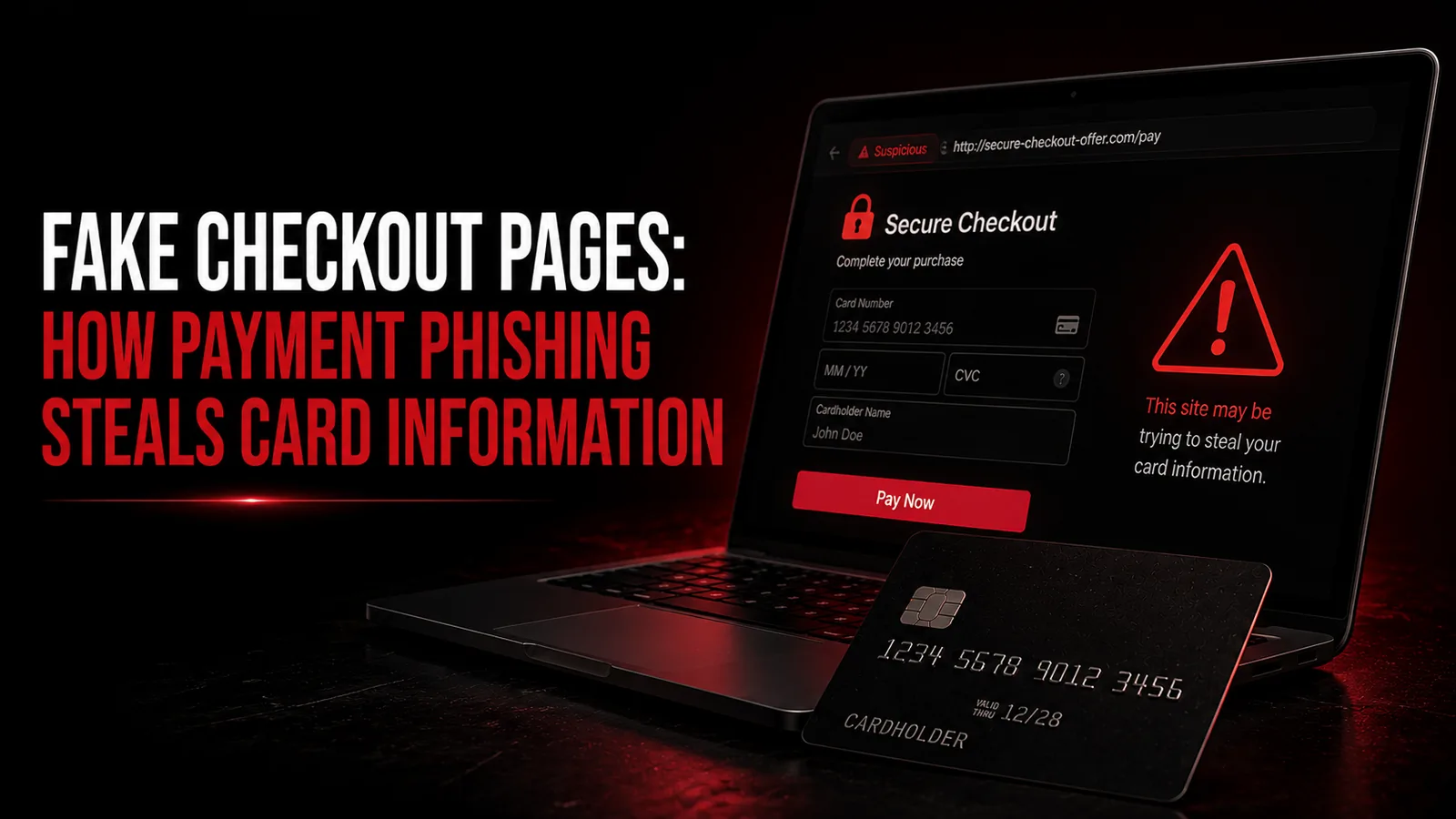
Fake checkout pages are fraudulent payment pages designed to imitate a legitimate merchant, bank, delivery company, subscription service, marketplace, or payment provider. Their purpose is to persuade a victim to enter sensitive payment or account information into a form controlled by criminals.
Unlike digital skimming, where attackers compromise a legitimate merchant's real checkout page, payment phishing usually sends the victim to an imitation site or fraudulent payment flow. The page may copy familiar branding, use HTTPS, display realistic product information, and appear professional enough to lower suspicion.
The Federal Trade Commission warns that phishing messages commonly use email or text messages to trick people into giving away personal and financial information. The FTC also notes that HTTPS does not prove an online shopping site is legitimate because scammers can encrypt fraudulent sites too.
This guide explains fake checkout pages from a defensive perspective: how the scam works at a high level, the channels used to lure victims, common warning signs, what information criminals seek, how consumers can verify a payment page, how merchants can reduce impersonation risk, and what to do after entering card information on a fraudulent checkout.
It intentionally avoids fake-page templates, credential-capture code, hosting instructions, domain-selection strategies, or techniques for evading browser, bank, or fraud-detection systems.
Quick Answer: What Is a Fake Checkout Page?
A fake checkout page is a fraudulent webpage that imitates a genuine payment or purchase flow in order to collect sensitive information.
The victim may arrive through a phishing email, text message, QR code, malicious advertisement, fake online shop, social-media post, search result, or impersonated customer-support account.
The page may request a card number, expiration date, CVV, cardholder name, billing address, account password, or authentication information.
The safest response to an unexpected payment request is to avoid the supplied link and independently navigate to the organization's known website or official application.
If card information has already been entered into a suspected phishing page, contact the card issuer promptly, review recent transactions, and follow the issuer's guidance about locking or replacing the card.
How Payment Phishing Works at a High Level
Payment phishing combines impersonation with a financial request.
First, the criminal creates a believable reason for the victim to make or update a payment. The message might claim that an order failed, a delivery fee is due, a subscription expired, a refund is waiting, or a bank account requires verification.
Second, the victim is directed toward a payment page that appears to belong to the trusted organization.
Third, the page asks for payment or account information.
The defensive lesson is to focus less on the story and more on the requested action: unexpected links asking for sensitive payment data should be independently verified.
Fake Checkout vs Legitimate Checkout
A legitimate checkout belongs to the merchant or payment provider the customer intentionally chose to use.
A fake checkout merely imitates that environment.
Visual similarity is not reliable evidence. Logos, product images, colors, fonts, checkout labels, trust badges, and customer-service language can all be copied.
The strongest indicators are contextual: did you intentionally navigate to the merchant, is the domain correct, is the payment request consistent with the transaction you initiated, and can the same information be confirmed through the merchant's official application or website?
Consumers should avoid treating appearance alone as proof of authenticity.
Fake Checkout Pages vs Digital Skimming
These threats are often confused.
A fake checkout page is usually a phishing environment controlled by the scammer.
Digital skimming or e-skimming compromises a legitimate merchant's checkout or related scripts.
In phishing, checking how you reached the page and confirming the real merchant domain can substantially reduce risk.
In digital skimming, the real domain itself may be compromised, so prevention depends much more heavily on merchant security controls.
Both attacks can expose payment data, but their mechanisms and defenses differ.
Fake Checkout Pages vs Fake Online Stores
A fake checkout page may exist by itself or as part of a larger fake online store.
Some fraudulent shops imitate real retailers, while others present invented businesses, unusually low prices, or products that never arrive.
The FTC advises consumers to research unfamiliar sellers and notes that paying by credit card can provide useful dispute protections when online purchases go wrong.
A convincing catalog does not prove that the checkout is genuine.
Consumers should evaluate the merchant before reaching the payment stage, not only when the card form appears.
1. Phishing Emails Leading to Fake Checkout
A common route begins with email.
The message may claim that a payment failed, an account requires verification, an order needs confirmation, or a refund is available.
The FTC advises people not to click links or download attachments in unexpected messages. If the communication might be legitimate, contact the company or bank using a website, phone number, or email address known to be real.
For payment issues, opening the merchant or banking application independently is safer than following the message link.
2. Smishing and Fake Mobile Payment Pages
SMS phishing, commonly called smishing, can direct victims to mobile-optimized fake checkout pages.
The message may claim there is a delivery fee, unpaid toll, card-security issue, or account suspension.
Mobile screens can make it harder to inspect the full destination address, which can increase risk.
Users should avoid assuming a text is genuine because it appears urgent or references a familiar organization.
Open the relevant application or known website independently rather than tapping the link.
3. QR-Code Payment Phishing
QR codes can hide the destination until they are scanned.
Fraudulent QR codes can be placed in messages, invoices, parking notices, packages, posters, menus, or other contexts.
The FTC has warned that malicious QR codes can direct users to spoofed sites designed to collect personal and financial information.
Before entering card information after scanning a code, confirm that the destination actually belongs to the organization you intended to pay.
For financial services, using the official app directly is usually safer.
4. Fake Delivery Payment Pages
Delivery-themed payment phishing is common because many people regularly receive packages.
A message may claim that an address needs confirmation or a small fee must be paid before delivery.
The requested amount may be deliberately small so the victim focuses on the convenience of completing the delivery rather than the sensitivity of the card information being entered.

A low payment amount does not make a page trustworthy.
Use the carrier's official tracking website or application to verify the shipment.
5. Fake Subscription Renewal Pages
A phishing message may claim that a streaming service, software subscription, cloud account, mobile service, or membership is about to expire.
The victim is directed toward a page that requests updated payment details.
Instead of following the message link, log in to the service through the known official website or application and review the subscription there.
If the account shows no billing issue, the external message was likely misleading or fraudulent.
Consumers should also be cautious of messages claiming that an account will be deleted immediately unless card details are re-entered.
6. Fake Bank Verification Pages
Some fake payment pages impersonate banks rather than merchants.
The message may say that a card has been blocked, suspicious activity was detected, or the customer needs to 'verify' the card.
The page may request both payment information and online-banking credentials.
Never use an unexpected link to verify a banking-security issue.
Open the official banking application or call the number printed on the card.
CISA similarly advises that when a suspicious message might be genuine, users should avoid its links and contact the organization independently.
7. Fake Refund Pages
Not all payment phishing uses fear.
A fake refund page may promise money back from a merchant, government agency, utility company, airline, or other service.
The victim is told that card information is required to receive the refund.
Legitimate refunds normally follow the merchant or issuer's established process.
Unexpected requests for full card details, passwords, or authentication codes should be verified through the official organization.
8. Fake Customer-Support Payment Links
Scammers may impersonate support agents on social media, messaging apps, forums, or search results.
A customer who publicly asks for help with an order can be contacted by an impersonator offering to resolve the problem.
The fake agent may provide a payment or verification link.
Support conversations should be moved to the organization's confirmed official channel before any sensitive information is shared.
Merchants should publish clear support contact methods and monitor impersonation where feasible.
9. Malicious Advertising and Search Results
A victim does not always receive a message first.
Fraudulent merchants or impersonation pages can be promoted through advertisements or misleading search results.
People searching urgently for a payment page, customer-support number, or bank login may select a fraudulent result.
Bookmarks, official apps, and manually entered known domains can reduce dependence on search results for sensitive payments.
Organizations should monitor for impersonation ads and fraudulent domains targeting their brands.
10. Social-Media Shopping Scams
Social-media advertisements and marketplace posts can lead users to fake shops or checkout pages.

Extremely low prices, limited-time pressure, copied product images, and unfamiliar sellers deserve additional scrutiny.
The FTC's online-shopping guidance recommends researching sellers before purchasing and using payment methods with stronger consumer protections.
A social-media account with many followers or professional graphics is not proof that the merchant is legitimate.
Consumers should verify the actual business and domain before entering payment details.
What Information Do Fake Checkout Pages Try to Collect?
The exact fields depend on the scam.
Potential targets include card number, expiration date, cardholder name, billing address, CVV or CVC, email address, telephone number, account username, password, and other identity information.
Some scams may also try to obtain one-time authentication codes or convince the victim to approve a banking-app notification.
The combination of payment information and account credentials can create more risk than theft of one isolated field.
Consumers should treat any page requesting multiple financial and authentication secrets at once with particular caution.
Why CVV Requests Can Look Normal
Real merchants commonly request a card-verification value during card-not-present payment, so seeing a CVV field is not itself suspicious.
The problem is whether the page collecting it is genuine.
A fake checkout can reproduce the same fields as a legitimate merchant.
This reinforces why users need to verify the destination and context rather than deciding based on individual form fields.
CVV is a payment-security element, not a way to prove that a website is trustworthy.
Why OTP Requests Are a Major Warning Sign
Some payment flows legitimately use issuer authentication.
However, a phishing page or scammer may try to persuade the victim to enter or disclose an authentication code that was generated for a real transaction or account action.
Users should read the exact authentication prompt, merchant or payee, and transaction amount.
Never send an OTP to an unexpected caller, chat agent, or message.
Authentication should occur only through the issuer-controlled flow for a transaction the cardholder intentionally initiated.
Why HTTPS Is Not Proof of Legitimacy
HTTPS means the communication between the browser and the website is encrypted.
It does not mean the website operator is honest.
The FTC explicitly notes in its online-shopping guidance that scammers can encrypt fraudulent sites too.
A fake checkout can therefore show a padlock icon and still steal card information.
Consumers should verify the domain and context rather than treating HTTPS as an identity certificate.
Encryption is necessary for legitimate payments, but it is not sufficient proof of legitimacy.
Warning Sign 1: The Payment Was Not Expected
Unexpected payment requests deserve additional verification.
Ask whether you actually initiated the purchase, subscription, delivery, refund, or account change referenced by the page.
A payment request appearing out of nowhere through a message is fundamentally higher risk than a checkout reached through an intentional purchase journey.
If the payment relates to a real service, open that service independently and verify the issue.
Do not allow urgency to replace verification.
Warning Sign 2: The Domain Does Not Match the Organization
Check the actual website address.
Lookalike domains may add or remove characters, use unrelated words, or place the brand name in a misleading part of the address.
However, manual URL inspection is not perfect and users should not be expected to identify every sophisticated impersonation.
For banks and known merchants, using the official app or a saved trusted bookmark is safer.
Avoid entering card information if you are unsure who controls the domain.
Warning Sign 3: The Page Arrived Through an Unexpected Link
A payment page reached through unsolicited email, SMS, direct message, QR code, or social-media reply deserves more scrutiny.
CISA advises users not to click suspicious links or call numbers contained in questionable messages, and to contact the organization independently if the message might be genuine.
This independent-channel verification is one of the strongest anti-phishing habits.
The payment problem, if real, should usually still be visible through the legitimate account or service.
Warning Sign 4: Urgency and Threats
Fraudulent pages often appear after messages designed to create pressure.
Examples include account suspension, delivery cancellation, service termination, penalties, or claims that the offer expires immediately.
A real financial issue may require attention, but urgency does not make the supplied link trustworthy.
Pause long enough to verify the organization through a separate channel.
CISA and FTC phishing guidance both emphasize suspicion around urgent or unexpected messages.
Warning Sign 5: Unusual Payment Method
Be cautious when the supposed merchant's payment process differs substantially from what the organization normally uses.
A known retailer should not suddenly require payment through an unrelated individual account or an unusual method that cannot be reconciled with its official checkout.
The FTC recommends credit cards for online purchases when possible because they generally provide stronger dispute protections if something goes wrong.
Payment-method inconsistency can be a sign that the user has left the genuine merchant environment.
Warning Sign 6: Too Much Information Requested
A legitimate card checkout needs certain payment and billing information.
It normally does not need every security secret associated with your bank account.
Be suspicious if a page combines card details with requests for complete online-banking passwords, unrelated identity credentials, email passwords, or repeated authentication codes.
The more unrelated secrets a page requests, the more important independent verification becomes.
Do not assume that a long form is safer because it appears thorough.
Warning Sign 7: Inconsistent Branding or Page Behavior
Visual mistakes can sometimes expose a fake page.
Examples include inconsistent company names, broken navigation, mismatched currencies, strange contact details, copied legal text, or links that do not lead where expected.
However, polished phishing sites can avoid obvious mistakes.
Treat branding inconsistencies as useful warning signs, but do not assume perfect branding proves legitimacy.
Context and independent verification remain stronger defenses.
Warning Sign 8: No Verifiable Merchant Identity
An unfamiliar online store should provide enough information for customers to understand who operates it and how support works.
Search for the seller independently rather than relying only on testimonials displayed on its own site.
The FTC recommends researching unfamiliar online sellers before making purchases.

Be cautious when a store has no credible contact information, no consistent business identity, or a recently appearing online presence combined with unusually attractive offers.
No single factor proves fraud, but multiple inconsistencies should increase caution.
Warning Sign 9: Authentication Prompt Does Not Match the Purchase
If the issuer displays a merchant name, amount, or transaction detail that does not match the purchase you intended, do not approve it.
Authentication is intended to confirm a specific transaction.
A mismatch can indicate that the payment flow is not doing what the user thinks it is doing.
Reject the request and contact the issuer if necessary.
Customers should never approve an unknown payment simply because someone on another channel says it is needed to 'verify' or 'cancel' something.
How to Verify a Checkout Page Safely
Start from the organization rather than from the message.
Open the official merchant or bank application, type the known domain, or use a previously trusted bookmark.
Locate the order, subscription, delivery, or payment issue from inside the legitimate account.
If customer support is needed, use contact information published by the official organization.
If the supposed payment request cannot be reproduced through the legitimate service, do not enter card information into the external page.
This approach avoids needing to become an expert at judging every suspicious URL.
Should You Search the Merchant Name on Google?
Independent research can help with unfamiliar sellers, but search results themselves can contain advertisements, impersonation pages, or misleading listings.
Use search as one signal rather than as definitive proof.
For established banks, card issuers, delivery companies, and large merchants, known official applications and previously verified domains are safer than clicking the first search result.
For unfamiliar sellers, look for consistent independent information, realistic policies, verifiable contact details, and a history that makes sense.
The FTC recommends researching sellers before buying online.
Are Trust Badges Proof of Safety?
No.
Images claiming 'secure checkout,' 'verified merchant,' 'SSL protected,' or similar statements can be copied.
A trust badge only has meaning if it is tied to a verifiable security or merchant program and the underlying organization can actually be confirmed.
Do not enter payment information simply because the page contains familiar logos.
Fraudulent sites often imitate the visual cues consumers associate with security.
Does 3-D Secure Prove the Merchant Is Legitimate?
Not by itself.
EMV 3-D Secure is an issuer authentication technology for online card payments.
A legitimate 3DS challenge can add protection against unauthorized use, but consumers should still ensure they intentionally initiated the payment and that the authentication prompt matches the expected merchant and amount.
Authentication should not be used as a substitute for verifying the merchant.
A mismatched or unexpected authentication request should be rejected.
Why Tokenized Wallets Can Help
Digital wallets can reduce how often the underlying card number is entered into merchant forms.
In supported flows, the merchant receives a tokenized credential instead of the original card number.
This can reduce exposure if the shopper encounters a malicious page that does not receive the raw PAN through the wallet flow.
Wallets are not a guarantee that the merchant is legitimate, and users can still be tricked into authorizing payments to scammers.
Tokenization is therefore one defensive layer alongside merchant verification and fraud monitoring.
Why Virtual Cards Can Reduce Exposure
Some issuers provide virtual card numbers or temporary credentials for online purchases.
These can reduce the impact of one merchant credential becoming exposed because the virtual number may have restricted use or be replaceable separately from the physical card.
Capabilities vary by issuer.
A virtual card does not make a scam purchase legitimate and does not replace careful merchant verification.
Consumers should use issuer-provided tools according to the bank's official instructions.
What Merchants Can Do About Fake Checkout Impersonation
Legitimate businesses are victims when criminals copy their brands and payment pages.
Merchants can reduce harm by publishing clear official domains and support channels, using consistent payment flows, monitoring for lookalike domains, reporting fraudulent advertisements, and educating customers about how legitimate payment requests are delivered.
Organizations should make it easy for customers to report suspected impersonation.
Customer-support teams should know how to distinguish genuine merchant links from scams and should never train customers to send full card credentials through ordinary messages.

Rapid takedown and warning processes can reduce the lifespan of impersonation campaigns.
Merchant Defense 1: Strong Domain and Brand Monitoring
Organizations can monitor for domains, advertisements, social accounts, and websites that imitate their brand.
The goal is not to assume every similar domain is malicious but to identify fraudulent properties quickly enough to investigate and report them.
Brand-protection providers, threat-intelligence services, browser reports, customer complaints, and payment-network intelligence can contribute to this process.
The more visible a brand is, the more important a clear impersonation-response process becomes.
Merchants should document who is responsible for escalation and takedown requests.
Merchant Defense 2: Consistent Customer Communications
Consumers are easier to train when genuine merchant behavior is predictable.
If a company never asks customers to enter card details from unsolicited email links, it can say so clearly.
Security alerts should direct customers toward an official app or known domain where possible.
Avoid communication patterns that resemble phishing unnecessarily.
Consistent sender identity, clear account-based verification, and simple fraud-reporting channels make scam detection easier.
Merchant Defense 3: Protect Merchant Accounts and Advertising
Attackers can abuse compromised business social-media, advertising, or email accounts to distribute convincing fake payment links.
Merchants should use MFA, least privilege, account monitoring, secure recovery processes, and rapid revocation of former employee access.
Marketing and advertising platforms should be considered security-sensitive because they can reach large customer audiences.
A compromised promotional account can become a phishing distribution channel even if the merchant's checkout itself is secure.
Merchant Defense 4: Secure the Real Checkout
Fake checkouts and compromised legitimate checkouts are different threats, but merchants need to defend against both.
The real checkout should use PCI DSS controls, secure payment architecture, controlled scripts, modern authentication, and appropriate tokenization.
A secure real checkout makes it easier for consumers and banks to distinguish legitimate transactions and reduces the damage if criminals obtain partial payment information elsewhere.
Merchant security should therefore address impersonation and application compromise as separate but related problems.
Merchant Defense 5: Use Fraud Analytics and Authentication
Even when phishing succeeds in collecting static card details, unauthorized use may still be stopped by issuer and merchant fraud controls.
Useful layers can include EMV 3-D Secure, device and transaction risk analysis, authorization controls, transaction monitoring, and merchant fraud analytics.
Visa recommends combining payment security with customer alerts and education.
No single layer is perfect, which is why payment systems use multiple independent controls.
Merchants should avoid policies that treat possession of static card details as sufficient proof of customer legitimacy.
What to Do If You Entered Card Details on a Fake Checkout
Contact the card issuer promptly using the official banking application, known website, or the number printed on the card.
Explain that payment information may have been entered into a phishing website.
Review recent transactions and report anything unfamiliar.
Ask whether the issuer recommends locking or replacing the card.
If account credentials were also entered, change the affected password immediately and change reused passwords elsewhere.
Enable MFA on important accounts and continue monitoring because misuse may not occur immediately.
The FTC recommends contacting the credit or debit card issuer when a fraudulent transaction or scam payment is involved.
What If You Also Shared an OTP?
Tell the card issuer or bank exactly what happened.
An authentication code may have been used to approve a transaction or account action.
Do not assume that replacing the card alone resolves the incident if banking credentials or authentication factors were also compromised.
Review recent transactions, login activity, devices, and account changes.
The bank may need to revoke sessions, reset credentials, or take other account-security actions.
Act promptly rather than waiting for a visible charge.
What If You Created an Account on the Fake Store?
If the password used on the fake store was reused elsewhere, change it everywhere it was reused.
Prioritize email, banking, cloud services, social media, and legitimate shopping accounts.
Enable MFA.
Be alert for follow-up phishing because criminals who obtained your email, phone number, address, and payment information may use those details to make later scams more convincing.
A fake checkout incident can therefore evolve into broader account or identity risks.
What If You Downloaded Something From the Fake Page?
A phishing site may attempt to convince users to install a file, browser extension, mobile application, or remote-access tool.
If you installed something unexpected, treat the incident as a possible device-security problem as well as a payment problem.
Use trusted security software or professional support to inspect the device.
Change important passwords from a known-clean device if compromise is suspected.
Do not continue using a potentially infected device for banking until the risk has been addressed.
How to Report Fake Checkout Pages
Report the page to the impersonated merchant, bank, delivery company, or payment provider through its official fraud-reporting process.
Use browser or search-engine phishing-reporting mechanisms where available.
In the United States, suspicious communications and scams can be reported to the FTC.
CISA also encourages reporting phishing rather than simply deleting it.
Europol provides links to national cybercrime-reporting channels for European countries.
Reporting helps platforms, brands, and law enforcement identify campaigns and protect other users.
Common Myths About Fake Checkout Pages
Myth: A padlock means the checkout is legitimate. Reality: HTTPS encrypts the connection, and the FTC explicitly warns that scammers can encrypt fraudulent sites too.
Myth: A familiar logo proves the site belongs to the brand. Reality: branding and trust badges can be copied.
Myth: Only obviously suspicious emails lead to fake checkout pages. Reality: SMS, QR codes, ads, search results, social media, and fake support accounts can all be used.
Myth: A small fee is too insignificant to be a card-theft scam. Reality: a small payment request can simply be the lure used to collect valuable credentials.
Myth: If 3-D Secure appears, the merchant must be genuine. Reality: users still need to verify that the payment is one they intentionally initiated and that the authentication prompt matches the merchant and amount.
Myth: A professional-looking checkout is safe. Reality: modern phishing sites can imitate legitimate designs convincingly.
Myth: Consumers should rely on URL inspection alone. Reality: independent navigation through the official app or known domain is usually safer than trying to judge every suspicious link manually.
Conclusion
Fake checkout pages succeed because online shoppers are accustomed to entering payment information into forms that often look very similar from one merchant to another.
Criminals exploit that familiarity by copying branding, payment fields, security language, and checkout design while changing the most important element: who actually controls the page.
The strongest consumer habit is therefore not trying to become an expert at spotting every visual fake. It is to independently navigate to the organization you intended to pay and confirm the payment from inside its genuine website or application.
HTTPS is important but does not prove legitimacy. Logos can be copied. Urgency can be manufactured. A small payment request can still expose a valuable card credential.
For merchants, preventing payment phishing requires more than securing the real checkout. Businesses should also protect their brand, advertising and support accounts, monitor impersonation, communicate consistently, and use layered payment authentication and fraud controls.
When a fake checkout is suspected, fast issuer contact, credential changes where necessary, transaction monitoring, and phishing reporting can reduce the chance that one deceptive page becomes a larger financial or account-security incident.
