
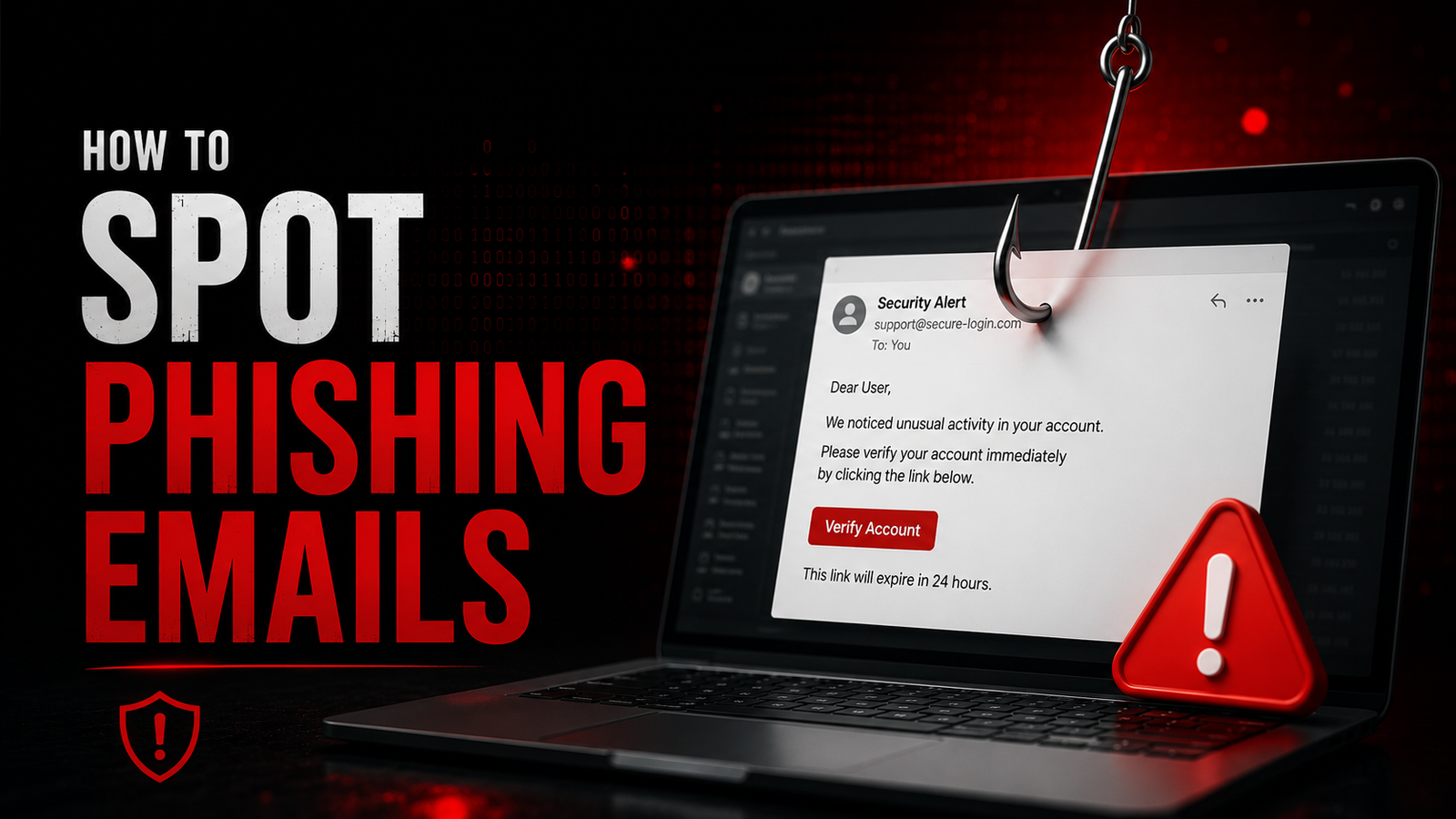
How to Spot Phishing Emails
Complete Guide to Identifying and Avoiding Email-Based Fraud
What Is Phishing?
Phishing is a cyberattack where fraudsters send fraudulent emails pretending to be from legitimate organizations (banks, social media platforms, government agencies, or well-known companies) to steal sensitive information such as:
- Login credentials
- Credit card numbers
- Social Security numbers
- Banking information
- Personal identification data
The Goal: Trick recipients into clicking malicious links, downloading malware, or revealing confidential information that can be used for identity theft, financial fraud, or account takeover.
The Scale of the Threat
Statistics:
- 3.4 billion phishing emails sent daily worldwide
- 1 in 99 emails is a phishing attempt
- 30% of phishing emails bypass default security filters
- $4.5 million average cost of a phishing-related data breach
- 91% of cyberattacks begin with phishing
Success Rate: Despite increasing awareness, phishing remains highly effective because attackers continuously refine their techniques to appear legitimate.
Common Types of Phishing Emails
1. Mass Phishing (Spray and Pray)
Characteristics:
- Sent to thousands or millions of recipients
- Generic greetings ("Dear Customer")
- Cast wide net hoping for a few victims
- Often contain obvious errors
Examples:
- "Your Amazon order has shipped" (when you didn't order)
- "Your PayPal account is suspended"
- "You've won a free iPhone"
2. Spear Phishing
Characteristics:
- Highly targeted to specific individuals
- Uses personal information from social media or data breaches
- Appears to come from known contacts
- Often references real events or relationships
Examples:
- Email from "your boss" requesting urgent wire transfer
- Message referencing recent conference you attended
- Communication mentioning specific projects you're working on
Why It's Dangerous: Much harder to detect due to personalization.
3. Whaling
Characteristics:
- Targets C-suite executives and high-value individuals
- Sophisticated and well-researched
- Often involves large financial transactions
- May use executive's writing style from compromised accounts
Examples:
- Fake board communications
- Urgent requests to finance departments
- Legal or compliance-related messages
4. Clone Phishing
Characteristics:
- Exact copy of legitimate email previously received
- Replaces links or attachments with malicious versions
- Uses same sender name and email format
- Claims to be "updated" or "resending" original
Example:
- Legitimate bank statement email resent with malicious PDF attachment
5. Business Email Compromise (BEC)
Characteristics:
- Compromises legitimate business email accounts
- Intercepts ongoing email threads
- Changes payment instructions
- Often targets vendor payments and invoices
Financial Impact: Average loss of $50,000-$100,000 per incident
Red Flags: How to Identify Phishing Emails
1. Sender Address Analysis
Check the "From" Address Carefully:
| Legitimate | Phishing |
| [email protected] | [email protected] |
| [email protected] | [email protected] |
| [email protected] | [email protected] |
Warning Signs:
- Misspelled domain names (amaz0n.com, paypa1.com)
- Extra words added to domain (amazon-security, paypal-verify)
- Generic email providers (gmail.com, yahoo.com) claiming to be official
- Subdomains used to spoof legitimacy (amazon.com.phishing-site.com)
Technical Check:
Hover over (don't click) sender name to reveal actual email address.
2. Generic or Suspicious Greetings
Phishing Indicators:

- "Dear Customer" or "Dear User" (no name)
- "Valued Member" or "Account Holder"
- Wrong name used
- Generic salutations on supposed personal communications
Legitimate companies typically use your actual name from their database.
3. Urgency and Threat Language
Common Pressure Tactics:
| Threat Type | Example Language |
| Account Suspension | "Your account will be closed in 24 hours" |
| Security Alert | "Unauthorized access detected - act now" |
| Legal Threat | "Legal action will be taken if not resolved" |
| Time Pressure | "Immediate action required" |
| Fear Induction | "Your account has been compromised" |
Psychological Principle: Attackers use urgency to bypass rational thinking and cause hasty actions.
4. Grammar and Spelling Errors
Red Flags:
- Obvious spelling mistakes
- Poor grammar and sentence structure
- Awkward phrasing
- Mixed languages or character sets
- Unprofessional formatting
Why It Exists:
- Many phishing operations originate from non-English speaking countries
- Deliberate errors sometimes filter out savvy users, leaving only vulnerable targets
Note: Sophisticated phishing may have perfect grammar, so absence of errors doesn't guarantee legitimacy.
5. Suspicious Links
How to Check Links:
Step 1: Hover over link (don't click)
Step 2: Check bottom of browser for actual URL
Step 3: Verify domain matches legitimate site
Link Red Flags:
| Legitimate Link | Phishing Link |
| https://www.chase.com/login | https://chase-secure-login.com |
| https://www.irs.gov/payments | https://irs-gov.tax-payment.org |
| https://www.netflix.com/login | http://netflix.com.billing-update.net |
Warning Signs:
- HTTP instead of HTTPS (no padlock)
- Misspelled domain names
- URL shorteners (bit.ly, tinyurl) masking destination
- IP addresses instead of domain names
- Extra subdomains or path components
6. Suspicious Attachments
Dangerous File Types:
- .exe - Executable files
- .zip - Compressed files (may contain malware)
- .docm, .xlsm - Documents with macros
- .pdf - Can contain malicious links or exploits
- .scr - Screensaver files (often executable)
Red Flags:
- Unexpected attachments from known contacts
- Files requesting "Enable Macros" or "Enable Content"
- Double extensions (invoice.pdf.exe)
- Password-protected archives with password in email
7. Requests for Sensitive Information
Legitimate Companies Will NEVER Ask For:
- Passwords or PINs via email
- Full Social Security numbers
- Credit card CVV codes
- Complete credit card numbers
- Mother's maiden name
- Account security questions and answers
Common Phishing Requests:
- "Verify your account password"
- "Confirm your credit card details"
- "Update your billing information"
- "Validate your identity"
8. Too Good to Be True Offers
Common Scams:
- "You've won the lottery" (you didn't enter)
- "Inheritance from unknown relative"
- "Free iPhone for completing survey"
- "Work from home, earn $500/day"
- "Investment opportunity with guaranteed returns"
Reality Check: If it sounds too good to be true, it almost certainly is.
Technical Indicators
Email Header Analysis
View Full Headers:
- Gmail: Three dots → "Show original"
- Outlook: File → Properties → Internet headers
- Apple Mail: View → Message → Raw Source
Check These Fields:

| Field | What to Check |
| Return-Path | Should match sender domain |
| Received | Trace routing path |
| SPF, DKIM, DMARC | Authentication results |
| Reply-To | May differ from sender |
Authentication Results:
- SPF: PASS - Sender authorized
- DKIM: PASS - Email not modified
- DMARC: PASS - Domain policy satisfied
Warning: Absence of authentication isn't definitive proof of phishing, but presence of failed authentication is suspicious.
URL Analysis Tools
Before Clicking Links:
- VirusTotal: virustotal.com - Scan URLs for malware
- URLVoid: urlvoid.com - Check domain reputation
- Google Safe Browsing: Check if site is flagged
- PhishTank: phishtank.com - Community-reported phishing
Real-World Phishing Examples
Example 1: Fake Bank Security Alert
From: [email protected] [NOT chase.com]Subject: URGENT: Your Account Has Been Compromised
Dear Valued Customer,
We have detected unusual activity on your account.
Your account will be suspended in 24 hours unless
you verify your information immediately.
Click here to verify: [http://chase-secure-verify.com/login]
If you do not act, your account will be permanently closed.
Sincerely,
Chase Security Team
Red Flags:
- Sender domain is chase-bank-alerts.com, not chase.com
- Generic greeting ("Valued Customer")
- Urgency and threat language
- Suspicious link destination
- Request to "verify information" (vague)
Example 2: Fake Package Delivery
From: [email protected]: Action Required: Package Delivery Failed
Your Amazon package could not be delivered.
Track your package and reschedule delivery:
[http://amazon-delivery-reschedule.com]
Note: A $5.99 redelivery fee will be charged if not
scheduled within 24 hours.
Amazon Customer Service

Red Flags:
- Unofficial Amazon domain
- Threat of additional fees
- Creates urgency (24 hours)
- Link doesn't go to amazon.com
Example 3: Sophisticated Spear Phishing
From: [email protected] [CEO's name spoofed]Subject: Urgent Wire Transfer Needed
Hi [Your Name],
I'm in back-to-back meetings and need your help with
something time-sensitive. We need to secure a contract
immediately. Please wire $50,000 to:
Account: 1234567890
Routing: 987654321
Bank: First National Bank
This is confidential until announcement tomorrow.
Please process immediately and send confirmation.
Thanks,
John Smith
CEO
Red Flags:
- Unusual email address (company-ceo.com vs company.com)
- Urgency and confidentiality pressure
- Request for wire transfer via email
- Bypasses normal approval processes
How to Verify Email Legitimacy
Method 1: Contact Company Directly
Steps:
- Don't use contact info from suspicious email
- Visit official website by typing URL manually
- Find legitimate contact information
- Call or email to verify communication
Example:
- Suspicious email claims to be from your bank
- Type bank's URL directly in browser (don't click link)
- Log into account normally
- Check for actual alerts or messages
- Call bank using number on card, not from email
Method 2: Check Official Communication Channels
Alternative Verification:
- Log into account directly through official app/website
- Check for notifications in official platform
- Call customer service using known number
- Check company's verified social media
Method 3: Use Browser Isolation
For Suspicious but Potentially Legitimate Emails:
- Open separate browser or incognito window
- Manually type company's URL
- Log in through official site
- Check for messages or alerts
Never:
- Click links in suspicious email
- Download attachments to verify
- Reply to email with personal information
What to Do If You Receive a Phishing Email
Immediate Actions
1. Don't Click Anything
- Links
- Attachments
- "Unsubscribe" buttons (confirms active email)
2. Don't Reply
- Responding confirms email is active
- May escalate targeting
- Never send personal information
3. Report the Phishing
Report to Company Being Spoofed:
- Forward to company's security team
- Most have dedicated addresses:
- [email protected]
- [email protected]
- [email protected]
Report to Authorities:
- US: [email protected], ic3.gov
- UK: [email protected]
- Canada: antifraudcentre-centreantifraude.ca
Report to Email Provider:
- Gmail: Report phishing button
- Outlook: Report junk → Phishing
- Yahoo: Report spam
If You Already Clicked
Immediate Actions:
Disconnect from Internet
- Prevents malware communication
- Stops data exfiltration
Run Full Antivirus Scan
- Use updated security software
- Check for malware installation
Change Passwords
- From a different, clean device
- Start with email, then banking, then other accounts
- Enable 2FA everywhere
Monitor Accounts
- Check for unauthorized activity
- Set up transaction alerts
- Review login history
Check for Email Rules
- Attackers often create forwarding rules
- Check filters and forwarding settings
- Delete unauthorized rules
Prevention Strategies
1. Email Security Settings
Enable Spam Filters:
- Set to high sensitivity
- Regularly check spam folder for false positives
- Whitelist important senders
Disable Automatic Image Loading:
- Prevents tracking pixels
- Stops automatic content loading
- Reduces attack surface
Enable Sender Authentication:

- SPF, DKIM, DMARC verification
- Flags unauthenticated emails
- Available in most email providers
2. Multi-Factor Authentication (MFA)
Critical for Email Accounts:
- Email is gateway to password resets
- Compromised email = compromised everything
- Use authenticator apps, not SMS
Implementation:
- Google: Security → 2-Step Verification
- Microsoft: Security → Two-step verification
- Apple: Security → Two-Factor Authentication
3. Security Awareness Training
Regular Education:
- Stay updated on latest phishing techniques
- Participate in phishing simulations
- Share knowledge with colleagues/family
- Follow security blogs and news
Key Principles:
- Verify independently
- When in doubt, don't click
- Slow down under pressure
- No legitimate company asks for password via email
4. Technical Defenses
Email Security Gateways:
- Advanced threat protection
- Link scanning and rewriting
- Attachment sandboxing
- Machine learning detection
Endpoint Protection:
- Anti-phishing browser extensions
- Email client security plugins
- Real-time link scanning
- Behavioral analysis
Network Security:
- DNS filtering (blocks known phishing domains)
- Web filtering proxies
- SSL/TLS inspection
- Traffic analysis
Advanced Phishing Techniques
1. Homograph Attacks
How It Works:
- Uses similar-looking characters from different alphabets
- Cyrillic "а" looks identical to Latin "a"
- Creates visually identical domain names
Example:
- apple.com (legitimate)
- аррle.com (Cyrillic р, not Latin p)
Defense:
- Copy-paste URLs into text editor to reveal different characters
- Type URLs manually rather than clicking
2. HTML/CSS Trickery
Techniques:
- Hidden text (white on white)
- Misaligned links (clickable area differs from visible link)
- Fake address bars in HTML emails
- Form fields that submit to malicious sites
Defense:
- Don't trust visual appearance
- Hover to verify actual link destinations
- Be suspicious of forms in emails
3. Conversation Hijacking
How It Works:
- Attacker compromises one participant in email thread
- Replies to legitimate conversation
- Changes banking details or payment instructions
- Uses established trust relationship
Defense:
- Verify payment changes via phone
- Confirm banking details through secondary channel
- Be suspicious of last-minute changes
Summary: Phishing Detection Checklist
Before Opening Email
- Sender address is legitimate domain
- Was expecting this communication?
- Subject line isn't overly urgent or threatening
While Reading
- Greeting uses your actual name
- No spelling/grammar errors
- No requests for passwords or sensitive data
- Tone is appropriate for sender
Links and Attachments
- Hover to check actual URL
- Domain matches legitimate site exactly
- HTTPS connection indicated
- No unexpected attachments
When in Doubt
- Contact company through official channels
- Log into account directly via typed URL
- Call using number from card/official site
- Report suspicious email
Key Takeaways
Verify Independently - Never trust email alone for sensitive actions
Urgency Is a Red Flag - Legitimate companies don't pressure immediate action
Check the Domain - Look carefully at sender addresses and link destinations
No Password Requests - Legitimate companies never ask for passwords via email
When in Doubt, Don't Click - It's better to verify through official channels than risk compromise
Report Phishing - Helps protect others and improves security filters
Stay Updated - Phishing techniques constantly evolve
This guide is for educational and fraud awareness purposes. Understanding phishing techniques helps individuals and organizations recognize and avoid email-based fraud attempts.
Remember: The most effective defense against phishing is skepticism combined with verification. When something feels off, trust your instincts and verify through official channels before taking any action.