
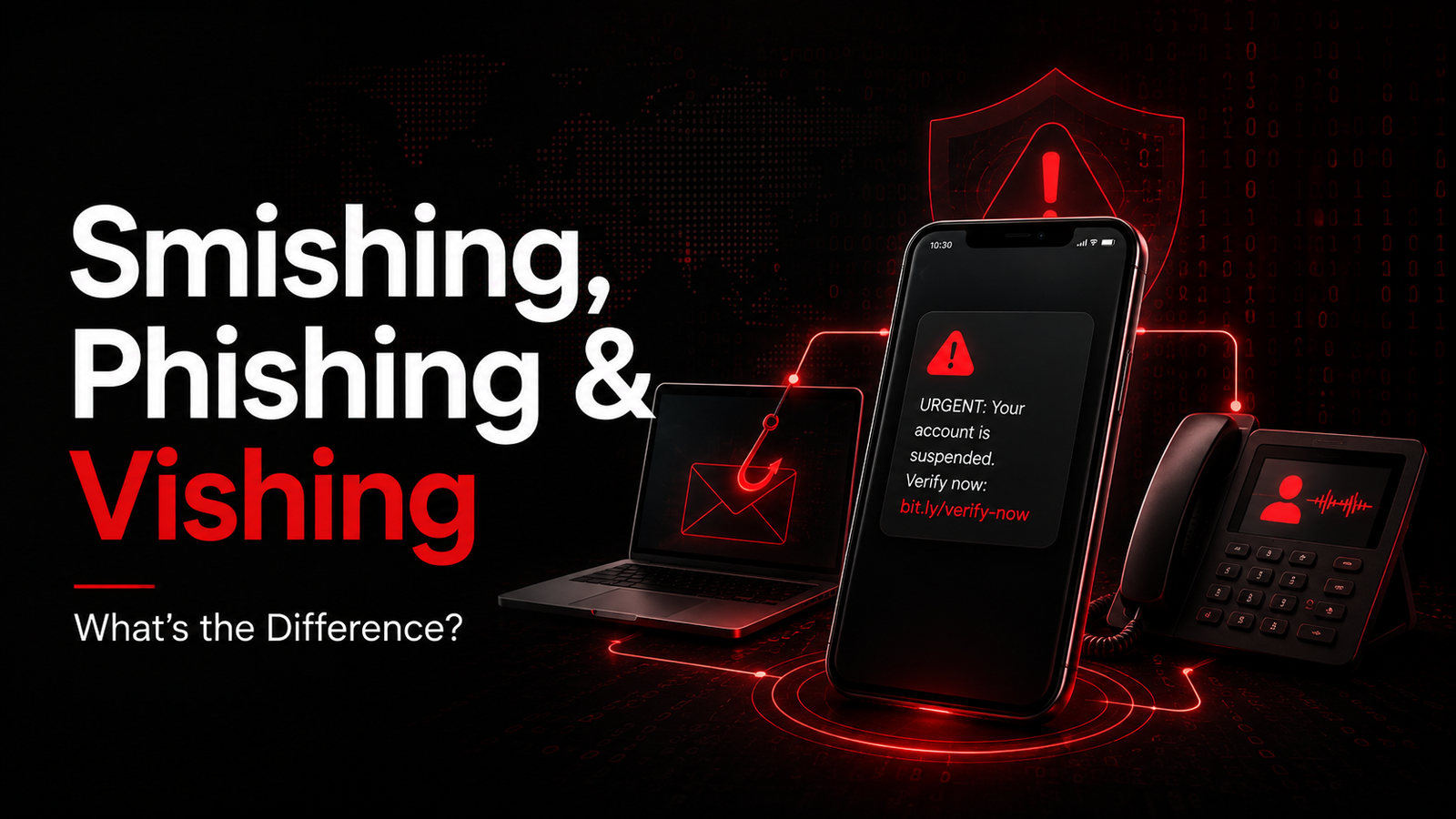
What's the Difference: Smishing, Phishing, and Vishing?
Published: June 19, 2026 | Category: Cybersecurity & Social Engineering | Level: Beginner to Intermediate
Executive Summary
Social engineering attacks continue to evolve, with cybercriminals exploiting multiple communication channels to deceive victims. Phishing, Smishing, and Vishing represent the three primary attack vectors—each using different mediums but sharing the same goal: stealing sensitive information or compromising systems.
Understanding the differences between these attacks is crucial for both individuals and organizations to implement effective defenses.
Quick Comparison
| Attack Type | Medium | Delivery Method | Urgency Level | Success Rate |
| Phishing | Electronic messages | Medium | 3.4% | |
| Smishing | SMS/Text | Mobile messages | High | 6% |
| Vishing | Voice/Phone | Phone calls | Very High | 9.5% |
Part 1: Phishing (Email-Based Attacks)
What is Phishing?
Phishing is a cyberattack that uses fraudulent emails to trick recipients into revealing sensitive information, downloading malware, or transferring funds. The term comes from "fishing"—casting a wide net hoping to catch victims.
How Phishing Works
Step 1: Reconnaissance- Attacker researches target organization
- Collects email addresses from public sources
- Identifies high-value targets (executives, finance)
Step 2: Crafting the Bait
- Creates spoofed email address ([email protected])
- Designs fake login pages
- Writes convincing message with urgency
Step 3: Delivery
- Sends mass emails or targeted spear-phishing
- Bypasses spam filters using obfuscation
Step 4: Hooking the Victim
- Victim clicks malicious link
- Enters credentials on fake site
- Or downloads malware attachment
Step 5: Exploitation
- Attacker harvests credentials
- Accesses corporate systems
- Initiates wire fraud
Types of Phishing
| Type | Description | Target |
| Mass Phishing | Bulk emails to thousands | General public |
| Spear Phishing | Targeted to specific individuals | High-value employees |
| Whaling | Targeted at C-suite executives | CEOs, CFOs |
| Clone Phishing | Resends legitimate email with malicious link | Previous email recipients |
| Business Email Compromise (BEC) | Impersonates vendors/executives | Finance departments |
Real Phishing Examples
Example 1: Fake Bank Alert
From: [email protected]: URGENT: Unusual Activity Detected
Dear Customer,
We detected suspicious login attempts on your account.
Click below immediately to verify your identity:
[Verify Account Now]
Failure to respond within 24 hours will result in account suspension.
Chase Security Team
Red Flags:
- Generic greeting ("Dear Customer")
- Urgency and threats
- Suspicious domain (chase-security-alerts.com vs chase.com)
- Poor grammar/spelling
Example 2: Corporate Invoice Scam
From: [email protected]: Invoice #2847 - OVERDUE
Hi [Target Name],
Please find attached invoice for $47,500.
Payment is 30 days overdue. Immediate settlement required.
[View Invoice]

Best regards,
Accounts Payable
Red Flags:
- Unexpected large invoice
- Pressure for immediate payment
- Suspicious sender domain
- Generic attachment
Phishing Statistics (2026)
- 3.4 billion phishing emails sent daily
- $4.5 million average cost of phishing breach
- 74% of organizations experienced phishing
- 91% of cyberattacks start with phishing
- 16 minutes average time to first click
Part 2: Smishing (SMS-Based Attacks)
What is Smishing?
Smishing (SMS + Phishing) uses fraudulent text messages to deceive victims. The name combines "SMS" (Short Message Service) with "phishing."
Why Smishing is Effective
| Factor | Explanation |
| Urgency | Texts feel immediate and personal |
| Trust | Users trust SMS more than email |
| Mobile-First | 6.8 billion smartphone users globally |
| No Filters | SMS spam filters less effective than email |
| Shortened URLs | Hard to verify legitimacy |
How Smishing Works
Step 1: Number Harvesting- Data breaches expose phone numbers
- Web scraping collects mobile numbers
- Social engineering obtains contact lists
Step 2: Message Crafting
- Creates urgency (package delivery, bank alert)
- Uses shortened URLs (bit.ly, tinyurl)
- Spoofs legitimate sender IDs
Step 3: Mass Distribution
- Uses SMS gateways or compromised phones
- Sends thousands of messages instantly
- Targets specific area codes
Step 4: Victim Engagement
- Victim receives text
- Clicks malicious link
- Downloads malware or enters credentials
Step 5: Exploitation
- Banking trojans steal credentials
- Ransomware encrypts device

- Personal data harvested
Types of Smishing
| Type | Scenario | Prevalence |
| Package Delivery | "Your package is delayed" | 35% |
| Bank Alert | "Suspicious transaction detected" | 28% |
| Prize/Lottery | "You've won!" | 15% |
| COVID-19 | "Test results available" | 12% |
| Tech Support | "Virus detected on your phone" | 10% |
Real Smishing Examples
Example 1: Fake Delivery Notification
From: +1-555-0199USPS: Your package delivery failed due to
insufficient address. Update your information at:
https://usps-tracking-update.com/verify
Reply STOP to opt out
Red Flags:
- Generic sender number
- Urgency about delivery
- Suspicious URL (not usps.com)
- No tracking number provided
Example 2: Banking Smish
From: Chase AlertChase Security: $1,247.50 charged at
BEST BUY #2847. If NOT you, click:
https://chase-fraud-alert.secure-login.com
Do NOT reply to this message
Red Flags:
- Suspicious URL
- Generic "Chase Alert" sender
- No customer name
- Urgency to act immediately
Smishing Statistics (2026)
- 6% click-through rate (vs 3.4% phishing)
- $1,200 average loss per victim
- 400% increase since 2020
- 67% of mobile users received smishing
- 18% of users clicked malicious links
Part 3: Vishing (Voice-Based Attacks)
What is Vishing?
Vishing (Voice + Phishing) uses phone calls to deceive victims into revealing sensitive information or performing actions that compromise security.
Why Vishing is Most Dangerous
| Factor | Explanation |
| Human Connection | Real-time conversation builds trust |
| Urgency | Voice creates immediate pressure |
| Authority | Callers impersonate officials, executives |
| No Record | Harder to document than email/text |
| Emotional Manipulation | Fear, excitement, urgency in real-time |
How Vishing Works
Step 1: Target Research- LinkedIn reveals job titles
- Company websites show org structure
- Social media exposes personal details
Step 2: Spoofing Setup
- Spoof caller ID to appear legitimate
- Use VoIP services to hide origin
- Prepare scripts for different scenarios
Step 3: The Call
- Impersonates authority figure
- Creates urgency or fear
- Requests immediate action
Step 4: Information Extraction
- Victim reveals passwords
- Provides MFA codes
- Transfers funds
- Installs remote access software
Step 5: Exploitation
- Accesses corporate networks
- Drains bank accounts
- Deploys ransomware
- Steals intellectual property
Types of Vishing
| Type | Scenario | Target |
| Tech Support | "Your computer has a virus" | Elderly, non-technical users |
| IRS/Tax Scam | "You owe back taxes" | General public |
| Bank Fraud | "Suspicious activity on your account" | Bank customers |
| CEO Fraud | "Wire transfer needed urgently" | Finance employees |
| Government Impersonation | "Social Security suspended" | Retirees |
| Prize Scam | "You've won the lottery" | General public |
Real Vishing Examples
Example 1: Tech Support Scam
Caller ID: Microsoft SupportCaller: "Hello, this is David from Microsoft
Technical Support. Our servers have detected
malicious activity from your computer. Your

Windows license will be revoked unless we fix
this immediately."
Victim: "What do I need to do?"
Caller: "I need you to go to www.support.me
and download our security tool. Then provide
me the access code so I can remove the virus."
Red Flags:
- Unsolicited tech support call
- Urgency and threats
- Requests remote access
- Microsoft doesn't make unsolicited calls
Example 2: CEO Fraud (Whaling)
Caller ID: CEO's Mobile NumberCaller: "Hi [CFO Name], it's [CEO Name]. I'm
in a board meeting and need you to process
an urgent wire transfer for an acquisition.
I can't talk long. The amount is $250,000
to account [Number]. I'll send you the
details by text. This is time-sensitive."
Red Flags:
- Unusual request via phone
- Pressure to bypass normal procedures
- Can't verify via callback
- Wire transfer to unknown account
Vishing Statistics (2026)
- $39.5 billion in vishing losses
- 9.5% success rate (highest of all)
- 30% increase year-over-year
- $100,000 average business loss
- 15 minutes average call duration
Part 4: Key Differences Compared
Attack Vector Comparison
| Aspect | Phishing | Smishing | Vishing |
| Medium | SMS/Text | Voice/Phone | |
| Delivery | Electronic | Mobile | Real-time |
| Anonymity | High | Medium | Low |
| Scale | Mass (millions) | Mass (thousands) | Targeted (hundreds) |
| Cost | Very low | Low | Medium |
| Skill Required | Low | Low | High |
| Urgency | Medium | High | Very High |
| Detection | Easier | Harder | Hardest |
| Success Rate | 3.4% | 6% | 9.5% |
Psychological Triggers
| Trigger | Phishing | Smishing | Vishing |
| Fear | Account suspension | Fraud alert | Arrest warrant |
| Urgency | 24-hour deadline | Immediate action | Act now |
| Curiosity | "You've been mentioned" | Package delivery | Prize winning |
| Authority | IT Department | Bank Security | Government Agency |
| Greed | Refund notification | Prize winning | Investment opportunity |
Technical Indicators
| Indicator | Phishing | Smishing | Vishing |
| Spoofing | Email addresses | Sender IDs | Caller ID |
| Obfuscation | URL shorteners | Link previews | Callback numbers |
| Payload | Malicious attachments | Malicious links | Verbal instructions |
| Persistence | Stored in inbox | Stored in messages | Call ends |
| Forensics | Headers, metadata | Phone logs | Call records |
Part 5: Defense Strategies
For Individuals
Email Security (Anti-Phishing)
✓ Verify sender address carefully✓ Hover over links before clicking
✓ Don't download unexpected attachments
✓ Enable spam filters
✓ Use email authentication (SPF, DKIM, DMARC)
✓ Report phishing to IT/security team
✓ Enable multi-factor authentication (MFA)
SMS Security (Anti-Smishing)
✓ Don't click links in unsolicited texts✓ Verify sender through official channels
✓ Use carrier spam filters
✓ Report spam texts (forward to 7726)
✓ Don't reply to suspicious messages
✓ Verify delivery notifications on official apps
✓ Never provide personal info via text
Phone Security (Anti-Vishing)
✓ Don't trust caller ID (can be spoofed)✓ Hang up and call back on official number
✓ Never provide passwords over phone
✓ Don't grant remote access to unsolicited callers
✓ Verify identity through secondary channel

✓ Be suspicious of urgency/pressure
✓ Report suspicious calls to authorities
For Organizations
Technical Controls
| Control | Implementation | Effectiveness |
| Email Filtering | SPF, DKIM, DMARC, sandboxing | 95% |
| Web Filtering | Block known malicious URLs | 90% |
| Endpoint Protection | Anti-malware, EDR | 85% |
| MFA | Mandatory for all accounts | 99.9% |
| Security Awareness Training | Regular simulations | 70% |
| SIM Swap Protection | Carrier notifications | 80% |
Security Awareness Program
Training Components:
Simulated Phishing
- Monthly fake phishing emails
- Track click rates
- Immediate training for clickers
Smishing Simulations
- Text message tests
- Mobile-specific training
- QR code security
Vishing Tests
- Phone call simulations
- Social engineering scenarios
- Executive training
Incident Response
If You Suspect an Attack:
1. STOP - Don't click, reply, or provide information2. VERIFY - Contact organization through official channels
3. REPORT - Notify IT security team immediately
4. DOCUMENT - Save evidence (screenshots, numbers)
5. SCAN - Run antivirus/malware scans
6. CHANGE - Update passwords if compromised
7. MONITOR - Watch accounts for suspicious activity
Part 6: Real-World Case Studies
Case Study 1: The Twitter Bitcoin Scam (2020)
Attack: Vishing/Social Engineering
Method: Attackers called Twitter employees, claimed to be IT support
Result: Compromised high-profile accounts (Obama, Musk, Gates)
Loss: $118,000 in Bitcoin
Lessons:
- Even tech companies vulnerable to vishing
- Employee verification procedures critical
- MFA not foolproof against social engineering
Case Study 2: FACC CEO Fraud (2016)
Attack: Vishing (CEO Fraud)
Method: Impersonated CEO, requested wire transfer
Result: $47 million transferred to attackers
Aftermath: CEO and CFO fired, lawsuit filed
Lessons:
- Verify voice requests through secondary channel
- Implement wire transfer verification procedures
- Train finance teams specifically on vishing
Case Study 3: COVID-19 Smishing Wave (2020-2021)
Attack: Mass smishing campaign
Method: Fake contact tracing, test results, vaccine registration
Result: Millions of texts sent, thousands compromised
Loss: Estimated $100+ million globally
Lessons:
- Crisis creates opportunity for attackers
- Health-related lures highly effective
- Public awareness campaigns needed
Part 7: Future Trends
Emerging Threats
| Trend | Description | Defense |
| AI-Generated Voices | Deepfake vishing calls | Voice biometrics, verification protocols |
| SIM Swapping 2.0 | Advanced number porting | Carrier authentication, eSIM |
| RCS Smishing | Rich Communication Services attacks | RCS security standards |
| Business Messaging | WhatsApp/Teams phishing | App-specific security |
| IoT Vishing | Smart device compromise | Network segmentation |
Evolution of Attacks
2020: Basic phishing emails2022: Sophisticated spear-phishing
2024: AI-generated content
2026: Multi-channel coordinated attacks
2028: Predicted: Real-time deepfake vishing
Quick Reference: Attack Identification
Phishing Checklist
□ Unsolicited email□ Generic greeting
□ Urgency/pressure
□ Suspicious sender address
□ Grammar/spelling errors
□ Unexpected attachments
□ Links to unfamiliar domains
□ Requests for sensitive information
Smishing Checklist
□ Unsolicited text message□ Shortened URLs
□ Urgent delivery/fraud alerts
□ Requests to click links
□ No personalization
□ Suspicious sender number
□ Prize/lottery notifications
□ Requests for personal info
Vishing Checklist
□ Unsolicited phone call□ Caller ID spoofing
□ Urgency/pressure to act
□ Requests for sensitive data
□ Instructions to install software
□ Threats of consequences
□ Refusal to verify identity
□ Requests to transfer funds
Conclusion
The Human Factor
While technology defenses improve, humans remain the weakest link. The key differences between phishing, smishing, and vishing matter less than the common thread: social engineering.
Remember:
- Verify independently before acting
- Question urgency and pressure tactics
- Report suspicious communications
- Educate continuously
Defense in Depth
Layer 1: Technical Controls (filters, firewalls)Layer 2: Authentication (MFA, strong passwords)
Layer 3: Monitoring (detection, response)
Layer 4: Training (awareness, simulations)
Layer 5: Culture (security-minded organization)
Tags: #Phishing #Smishing #Vishing #SocialEngineering #Cybersecurity #SocialEngineering #SecurityAwareness
Stay vigilant. When in doubt, verify through official channels.