
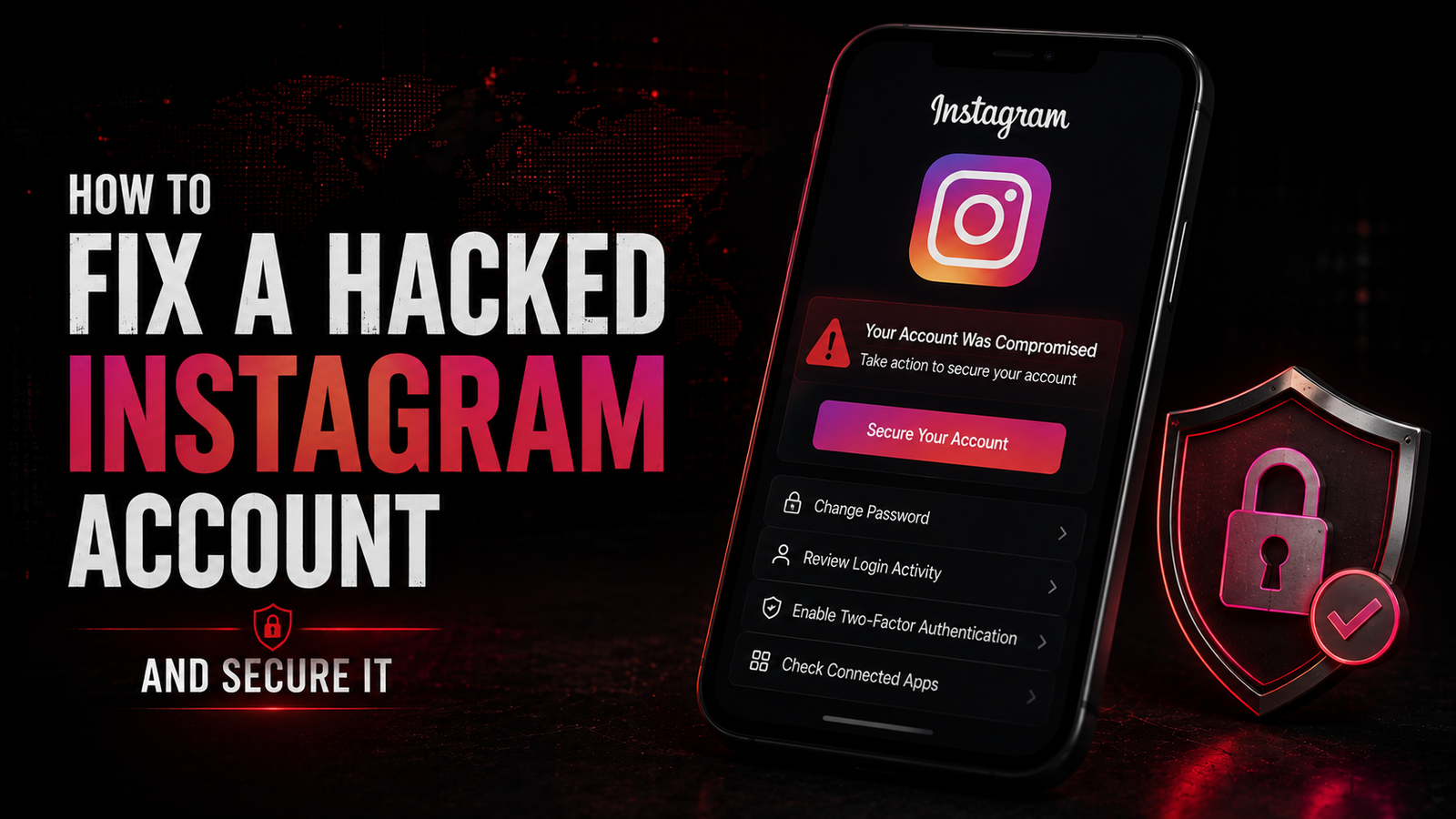


How to Fix a Hacked Instagram Account and Secure It
Complete Recovery and Security Hardening Guide for Carding Pioneers
- Recognizing Account Compromise
- Immediate Response Protocol
- Account Recovery Methods
- Post-Recovery Security Audit
- Advanced Security Measures
- Ongoing Protection Strategies
Recognizing Account Compromise
Warning Signs Matrix
| Indicator | What to Look For | Urgency Level |
| Email notifications | Password changed, email changed, login from new device | Critical |
| Profile changes | Bio modified, profile picture changed, links added | High |
| Unauthorized posts | Stories, posts, or Reels you didn't create | High |
| DM spam | Messages sent to followers with phishing links | Critical |
| Following changes | Following unknown accounts, mass unfollowing | Medium |
| Login failures | "Incorrect password" when you know it's right | Critical |
| 2FA requests | Codes sent when you didn't request login | Critical |
| Suspicious activity emails | Instagram security alerts about unusual activity | High |
The "Sim Swap" Red Flags
If you experience these simultaneously, assume SIM swapping:
- No cell service suddenly
- Password reset texts not arriving
- Instagram email about phone number changed
- Bank/2FA codes not coming through
Immediate action: Contact your carrier immediately from a different phone.
Immediate Response Protocol
Step 1: Attempt to Regain Access
Try logging in from a trusted device:
- Open Instagram app or go to instagram.com
- Enter your username/email and password
- If password fails → Proceed to recovery
- If you get in → Follow "Securing a Still-Accessible Account" below
Step 2: Check for Extortion (Common Attack Pattern)
Hackers often:
- Change profile to "This account is hacked, DM for recovery"
- Post Stories claiming you're selling the account
- Message followers asking for money to "recover" the account
- Threaten to delete the account unless ransom is paid
Do NOT:
- Pay the ransom (they rarely return accounts)
- Engage with the hacker via DMs
- Click any links they send
Step 3: Document Everything
Before attempting recovery, screenshot:
- Current profile state
- Any hacker posts/Stories
- Email notifications received
- Your original email/phone associated with account
Why: Proof of ownership for Instagram support and potential law enforcement if identity theft occurred.
Account Recovery Methods
Method 1: Standard Password Reset (If Email/Phone Unchanged)
Mobile App:
- Tap Forgot password? on login screen
- Enter username, email, or phone number
- Select Send Login Link or Send SMS
- Check email/SMS for reset link/code
- Create new strong password immediately
Web Browser:
- Go to instagram.com/accounts/password/reset
- Enter account information
- Complete CAPTCHA verification
- Follow email link to reset
Method 2: Hacked Account Recovery Tool
If the hacker changed your email/phone:
- Go to instagram.com/hacked (or tap Need more help? in app)
- Select My account was hacked
- Enter your original username/email
- Select I can't access this email or phone number
- Choose verification method:
- Original email (if still accessible)
- Original phone number
- Video selfie verification
Method 3: Video Selfie Verification
When to use: When all other recovery methods fail
Requirements:
- Government-issued ID
- Clear video of your face
- Account must have photos of you
Process:
- Select Send a video selfie option
- Follow on-screen instructions
- Turn head slowly as directed
- Submit for review (typically 1-2 business days)
- Check email for results
Tips for success:
- Good lighting on your face
- No hats, sunglasses, or masks
- Match appearance to profile photos
- Use the device you normally use Instagram on
Method 4: Instagram Support Request
For business/creator accounts:
- Go to Settings → Help → Report a Problem
- Select Something isn't working
- Explain the situation in detail
- Include:
- Original email associated
- When you lost access
- Any changes made by hacker
- Proof of ownership (receipts for ads, original signup email)
Direct Contact for Business Accounts:
- Facebook Business Support (if linked)
- Meta Business Help Center
- May require business verification documents
Method 5: Appeals Process (If Account Was Disabled)
If hacker got your account banned:
- Visit instagram.com/appeals
- Select My account was deactivated
- Fill out the appeal form
- Explain account was compromised
- Attach ID verification
- Wait 24-48 hours for response
Post-Recovery Security Audit
Immediate Actions Upon Regaining Access
1. Change Password (Critical First Step)
Strong Password Requirements:
- Minimum 16 characters
- Mix of uppercase, lowercase, numbers, symbols
- No dictionary words or personal info
- Unique to Instagram (never reused)
Example Generation:

Base: Random memorable phrase + symbols + numbersExample: "Purpl3M0untainD3w!2024$"
To Change:
- Profile → Menu (☰) → Settings
- Security → Password
- Enter current password (if known) or use reset
- Create and confirm new password
2. Review and Update Contact Information
Check ALL contact methods:
- Settings → Account → Personal Information
- Verify:
- Email address is yours
- Phone number is current
- No unknown emails added
- Remove any unrecognized contact info
- Add backup email if not present
3. Audit Login Activity
Location: Settings → Security → Login Activity
Review for:
- Unknown devices
- Unfamiliar locations
- Suspicious timestamps
- Unrecognized browser/apps
Actions:
- Tap Log Out next to suspicious sessions
- Select Log Out of All Devices when finished
- Note any patterns (specific locations, times)
4. Check Authorized Apps
Location: Settings → Security → Apps and Websites
Remove suspicious apps:
- Dating apps you didn't authorize
- "Follower booster" apps
- Third-party analytics tools
- Unknown developer apps
Red flags:
- Apps requesting DM access
- Apps with "post on your behalf" permissions
- Recently authorized apps you don't recognize
5. Review Account Changes
Profile Audit:
- Bio text - remove unauthorized links
- Profile picture - verify it's yours
- Name/username - check for changes
- Website link - remove suspicious URLs
- Category - verify business category
Content Audit:
- Recent posts - delete unauthorized content
- Stories - check for spam in highlights
- Reels - remove hacker-created videos
- IGTV/Videos - review for malicious content
- Comments made - check for spam comments
Connection Audit:
- Following list - unfollow accounts added by hacker
- Followers - remove fake/bot accounts added
- Close Friends - verify list is accurate
- Restricted accounts - check for misuse
6. Check Message History
Review DMs for:
- Spam sent to followers
- Phishing links shared
- Requests for money sent in your name
- Group chats you were added to
- Deleted conversations (check email notifications)
Clean-up:
- Delete unauthorized messages if possible
- Post Story warning followers about potential spam
- Send direct messages to close contacts warning them
- Leave group chats you were added to without consent
Advanced Security Measures
Two-Factor Authentication (2FA) Setup
Enable 2FA:
- Settings → Security → Two-Factor Authentication
- Choose your preferred method:
Option A: Authentication App (Recommended)
Setup Process:
- Download Google Authenticator, Authy, or Microsoft Authenticator
- In Instagram, select Authentication App
- Scan QR code with your authenticator app
- Enter 6-digit code to verify
- Save backup codes immediately
Why This is Best:
- Works offline
- Not vulnerable to SIM swapping
- More secure than SMS
- Multiple device sync (with Authy)
Option B: WhatsApp 2FA
If you prefer:
- Select WhatsApp in 2FA settings
- Verify WhatsApp number
- Codes will be sent via WhatsApp message
- More secure than SMS, less than auth apps
Option C: SMS (Least Secure)
Only if no other option:
- Select Text Message
- Verify phone number
- Codes sent via SMS
- Warning: Vulnerable to SIM swapping attacks
Backup Codes:

- Generate 5 one-time use codes
- Store in password manager
- Print and keep in physical safe
- Use when 2FA device unavailable
Additional Security Features
Login Requests
Enable:
- Settings → Security → Login Requests
- Toggle On
How it works:
- Get notification when new device attempts login
- Approve or deny directly from notification
- Shows device type and location
Saved Login Info
Recommendation: Disable on shared devices
- Settings → Security → Saved Login Info
- Toggle Off
- Remove saved accounts from device settings
Privacy Settings Hardening
Account Privacy:
Settings → Privacy → Account Privacy→ Private Account: ON (for personal accounts)
Story Settings:
Settings → Privacy → Story→ Hide Story From: Review list
→ Allow Message Replies: Followers only
→ Share Story To: Facebook (disable if not wanted)
Reels Settings:
Settings → Privacy → Reels→ Recommend on Facebook: Your choice
→ Audio and Hashtags: Review permissions
Activity Status:
Settings → Privacy → Activity Status→ Show Activity Status: OFF (prevents targeting)
Tags and Mentions:
Settings → Privacy → Tags→ Allow Tags From: No One or Followers Only
→ Manually Approve Tags: ON
Comments:
Settings → Privacy → Comments→ Allow Comments From: Followers or Followers and Following
→ Block Comments Containing: Add spam keywords

Restricted Accounts:
Settings → Privacy → Restricted Accounts→ Review and restrict suspicious accounts
→ Restricted users can't see when you're online
→ Their comments only visible to them
Data Download and Archive
Download Your Data:
- Settings → Account → Download Your Information
- Select Request Download
- Choose JSON format (most detailed)
- Select date range (All time recommended)
- Enter password to confirm
- Wait for email (24-48 hours)
Why This Matters:
- Proof of original content ownership
- Documentation for law enforcement
- Backup if account is deleted
- Evidence of unauthorized changes
Ongoing Protection Strategies
Password Management
Best Practices:
- Use password manager (Bitwarden, 1Password, Dashlane)
- Generate unique 20+ character passwords
- Change Instagram password every 90 days
- Never reuse passwords across platforms
- Enable 2FA on password manager itself
Password Manager Setup:
- Install manager on all devices
- Import existing passwords
- Audit for reused passwords
- Generate new unique passwords
- Enable auto-fill (securely)
Device Security
Mobile Devices:
- Enable biometric authentication
- Keep iOS/Android updated
- Don't jailbreak/root
- Install apps only from official stores
- Enable "Find My Device" services
Computers:
- Use dedicated browser for social media
- Enable full-disk encryption
- Keep browsers updated
- Use privacy-focused browsers (Firefox, Brave)
- Clear cookies/cache regularly
Network Security
Public Wi-Fi Rules:
- Never log into Instagram on public Wi-Fi without VPN
- Use ProtonVPN, Mullvad, or NordVPN
- Verify HTTPS connection
- Disable auto-connect to networks
Home Network:
- WPA3 encryption minimum
- Change default router password
- Regular firmware updates
- Guest network for visitors
- Disable WPS
Social Engineering Defense
Common Instagram Scams:
| Scam | How It Works | Prevention |
| "Nasty list" DM | "You're on a list of bad people" with phishing link | Never click links in unsolicited DMs |
| Fake brand collaboration | "We want to sponsor you" with malicious login page | Verify via official brand channels |
| Copyright infringement | Fake DMCA notices with malicious links | Check official email, never click links |
| Verification badge scams | "Pay to get verified" | Verification is free and by application only |
| Giveaway scams | "Tag friends to win" from fake accounts | Verify official brand accounts |
| Romance/catfish | Fake profiles building trust to scam | Reverse image search profile photos |
| Investment/crypto scams | "I made $10k in a week" from hacked friends | Call friend to verify, report account |
Phishing Recognition
Red Flags in Emails/DMs:
- Urgency: "Act now or account deleted"
- Grammar/spelling errors
- Mismatched URLs (hover to check)
- Requests for password or 2FA codes
- Threats of account suspension
- Offers too good to be true
Verify URLs:
Legitimate: https://instagram.com/accounts/login/Phishing: https://instagram-security.com/login
Phishing: https://instagram.com.login-verify.net
Regular Security Maintenance
Weekly Checks:
- Review login activity
- Check for unauthorized posts
- Review DMs for spam
- Check following/followers for suspicious accounts
Monthly Audits:
- Change password
- Review authorized apps
- Check privacy settings
- Update 2FA backup codes
- Clear search history
- Review blocked accounts
Quarterly Deep Reviews:
- Download data archive
- Review all privacy settings
- Audit close friends list
- Check business/creator tools
- Review ad preferences
- Update security questions if applicable
Emergency Response Scenarios
Scenario: Account Being Hijacked in Real-Time
If you see changes happening live:
- Immediately change password from Settings
- Log out all devices from Security settings
- Revoke all active sessions
- Enable 2FA if not already on
- Check email for notifications
- Document changes with screenshots
- Warn followers via Story about compromise
Scenario: Ransom Demands
If hacker demands payment:
- Do not pay - accounts rarely returned
- Report to Instagram via hacked account form
- File police report if threats made
- Document all communications
- Continue recovery attempts through official channels
- Alert followers from alternate account
Scenario: Identity Theft
If account used for identity fraud:
- File FTC report at identitytheft.gov
- Contact credit bureaus to freeze credit
- Change passwords on all linked accounts
- Monitor bank statements closely
- Document everything for law enforcement
- Consider legal counsel
Scenario: Business Account Compromise
Additional steps for business accounts:
- Contact Meta Business Support immediately
- Check ad accounts for unauthorized spending
- Review payment methods in Business Manager
- Check connected Facebook page
- Verify catalog/products haven't been modified
- Document ad spend for potential reimbursement
Recovery Documentation Template
Create this document for your records:
INSTAGRAM ACCOUNT RECOVERY DOCUMENTATION========================================
Account Information:
- Username: @yourusername
- Original Email:
- Original Phone:
- Account Created: [approximate date]
- Account Type: Personal/Business/Creator
Recovery Timeline:

- Date Compromised:
- Date Discovered:
- Date Recovery Initiated:
- Date Access Regained:
Changes Made by Hacker:
- Email changed to:
- Phone changed to:
- Profile changes:
- Posts made:
- DMs sent:
Evidence Collected:
- Screenshots location:
- Email notifications saved:
- Support ticket numbers:
Security Measures Implemented:
- [ ] Password changed
- [ ] 2FA enabled
- [ ] Login activity cleared
- [ ] Apps audited
- [ ] Privacy settings updated
Law Enforcement:
- Report filed: Y/N
- Case number:
- Officer contact:
Next Review Date:
Summary Checklist
Immediate Actions (First Hour)
- Attempt login from trusted device
- Initiate password reset if needed
- Document current state with screenshots
- Check email for Instagram notifications
- Warn close contacts about compromise
Recovery Actions (First 24 Hours)
- Complete account recovery process
- Change password immediately upon access
- Verify/update contact information
- Log out all devices
- Review and remove unauthorized apps
- Clean up hacker-made posts/content
- Check and secure linked accounts
Security Hardening (First Week)
- Enable 2FA (authentication app)
- Save backup codes securely
- Enable login request notifications
- Set account to private (if personal)
- Review and tighten privacy settings
- Audit followers and following
- Download data archive
Ongoing Protection (Monthly)
- Change password
- Review login activity
- Check authorized apps
- Update 2FA backup codes
- Stay informed on new threats
- Educate followers about scams
Additional Resources
- Instagram Help Center: help.instagram.com
- Hacked Account Form: instagram.com/hacked
- Report Impersonation: instagram.com/impersonation
- Privacy Checkup: Settings → Privacy → Privacy Checkup
- Security Checkup: Settings → Security → Security Checkup
This guide is for educational and fraud awareness purposes. All techniques described are defensive security measures to protect against unauthorized account access and social media fraud.
Remember: The best defense is prevention. Enable 2FA, use strong unique passwords, and stay vigilant against social engineering attempts. Your digital identity is valuable - protect it accordingly.